5 best browser automation tools I've tested in 2026

All of these new AI tools and features have been quite overwhelming.
I don’t know about you, but for me it’s been a weird time to be in tech. It feels like every day something new comes out, a new LLM model, some JEV thing, and now all these browser automation tools that let your agents use the web like you do.
But I did have a pretty wild experience recently. I had my agent log into our CMS, update the pricing screenshots on one of our blog posts, publish it, and then go request indexing in Google Search Console.
All of it done 100% with browser automation.
And it's made me realize that browser automation really is the last mile of automating work.
It made me go down a rabbit hole of trying to understand these tools, and I realized there are two versions of browser automation tools. They are either built for engineers, as infrastructure for custom apps. Or they are built for everyday people who just want to tell an agent what to do and have it go do it.
So in this article, I’m going to go over the browser automation platform I think are actually worth your time, tell you which bucket each one falls into, and who should use each one.
Okay, let’s get into it.
What is a browser automation tool?
A browser automation tool is an AI platform that can take over your computer's web browser to complete tasks on your behalf. These tools can give AI agents the ability to navigate through websites, fill out forms, extract information, and download content.
I've personally been obsessed with these tools because they really do feel like the last mile of automation. Historically, when apps or websites didn't have an API or MCP server it was tough luck to automating workflow within them.
But now with browser automation, your agents don't actually need access to any tool integrations. They can just browse the web exactly as you would, log into tool, and get work done.
However, not all of these tools are built equal. Trust is still a huge factor here. You don't want your agents going rogue and updating information where you don't want it to. There's also an element of privacy and security that is still questionable with these tools.
So I made so to evaluate tools that had many of the security features in place. I'll go over how I picked the tools in the next section. (And after that, I'll get into the full list.)
How I chose the browser automation tools on this list
I don't want to sit (I'm actually standing) and type out all the tools you should use. I don't like just telling people to use a tool without giving them information to make a proper decision on their own.
So before I show you my list, I want to tell you what you should pay attention to when deciding what browser automation tool to use.
Here's what I would look out for:
- Do you want to automate day to day work or do you want to build a browser automation feature in your app? Knowing this will determine what tool below to use. Some are great as standalone products for automating stuff. Others are mainly used as infrastructure for custom built agents or apps.
- Trust and privacy is a huge thing to be aware of. Make sure the browser automation platform you use can store credentials securely, uses proxies, and has its own verified identity.
- Can it browse the web without friction or hiccups? Make sure it can solve CAPTCHAs and handle dynamic pages.
- How does it scale? Can it spin off subagents and handle hundreds of runs? Or does it get stuck and turn into this half-reliable tool?
- What does the pricing look like? If it's pay per credit, make sure there are measures in place so an agent doesn't go rogue and waste all of your credits trying to solve a CAPTCHA or log into an app.
And most importantly, TTF. It stands for Time To Fun. It's an acronym I heard on a My First Million podcast recently. And it basically means how fast do you get to your desired end state. Can you automate something within the first 10 minutes of using the tool, or do you need some heavy eng work that will take an afternoon of debugging with Claude Code?
Okay, I can go over dozens of small details, but that is what I cared about when looking at what browser automation tool to use. And speaking of these tools, let's jump right into the list.
5 best browser automation tools and platforms in 2026
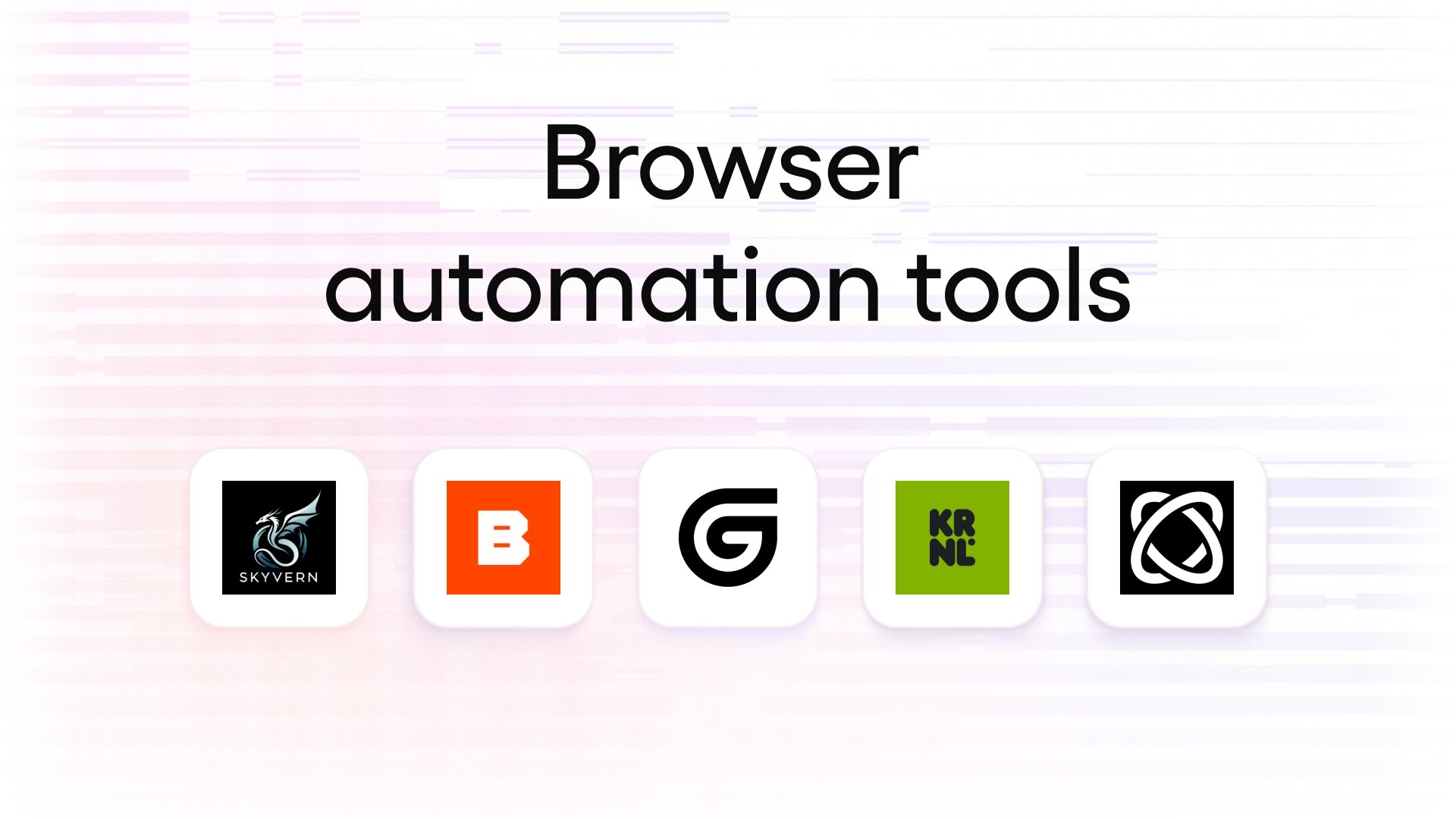
Here are the best browser automation tools:
- Gumloop: Best for AI browser automation inside end-to-end business workflows
- Browser Use: Best for developers building custom AI browser agents
- Browserbase: Best for developers who need managed headless browsers for their agents and scrapers
- Skyvern: Best for complex form filling and multi-step web workflows
- Kernel: Best for fast, scalable cloud browsers with built-in stealth and managed logins
Alright, let's go over each one.
1. Gumloop
- Best for: Teams already building AI agents that want browser automation in the same platform
- Pricing: Free 14-day trial, then starts at $37/month
- How I use it: Running a content optimizer agent that updates outdated blog posts, uploads new screenshots to our CMS, and requests indexing in Google Search Console and Bing Webmaster Tools
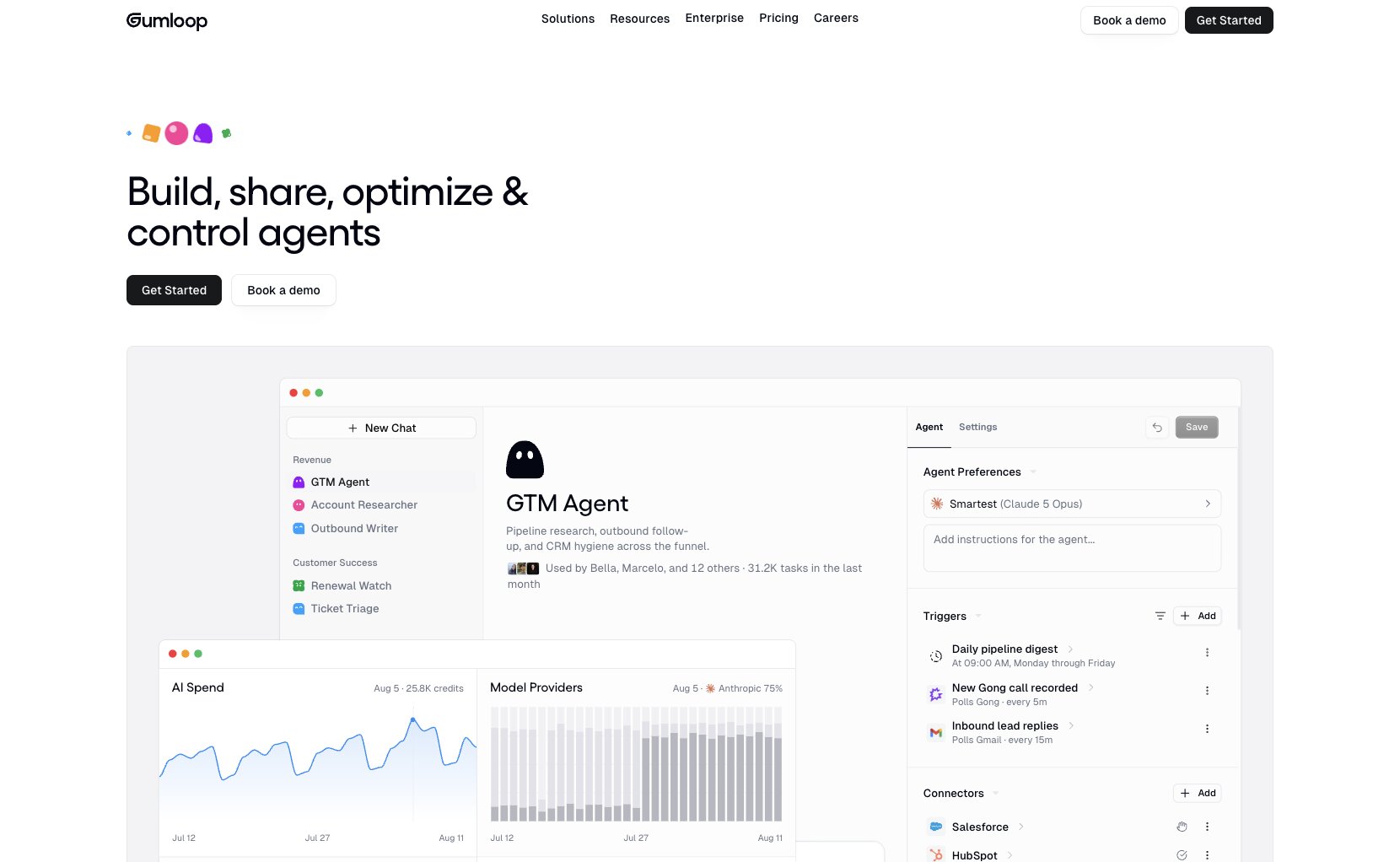
Gumloop is an AI agent builder for teams that want to build agents that help them automate their work. The really cool thing about Gumloop is that it has a built-in browser automation feature that lets agents securely access a web browser to do work.
It has a password vault, and you can also integrate it with 1Password, so your agent can securely have access to your logins to do any of the work that you want to do.
Whether you have different MCP connectors or skills doesn't really matter when you have access to a browser with your agents. All you do is tell an agent to do anything, and it can then go and automatically trigger a browser in Gumloop. You do need to toggle on the browser feature whenever you create a new agent.
For example, I recently built a content optimizer agent that can go and analyze when our SEO rankings are dipping or if any of our blog posts have any outdated information. And what this does is my agent then goes and reads blog posts, and if it deems that it needs to update something, whether it's a pricing screenshot or even writing out the pricing update, it will then go and visit the websites of the tools that we have mentioned pricing numbers for.
It can then take screenshots, log into our CMS, upload those screenshots with the appropriate file names and ALT text, and then it will go and rewrite sections of the article that need to be updated, and it will publish it. And then from there, it will continue to use the browser to log into our Google Search Console and our Bing Webmaster Tools and go and request indexing of the newly updated piece of content.
It truly has blown my mind in what is capable, and I really believe that browser automation is one of the last miles of automation that we need.
Here are some things I love about Gumloop's browser automation:
- It's LLM agnostic, so your agent can use both frontier AI models as well as open-weight models to do the job in the least amount of credits necessary (saving you money)
- Gives you session replays of what your agent did in your browser
- Once you've worked on a task, you can ask your agent to turn it into a skill so it can run the same automation each time
- Has stealth browsing and proxies that can solve captchas and reduce errors when your agent is accessing your browser
- Each agent has its own verified identity, so it can pass different website verifications for doing work
Here are some cons with Gumloop:
- It's not a standalone browser automation platform, rather it is a feature within a broader agent orchestration platform
- Browser steps are slightly slower than using native MCP connectors
Gumloop pricing
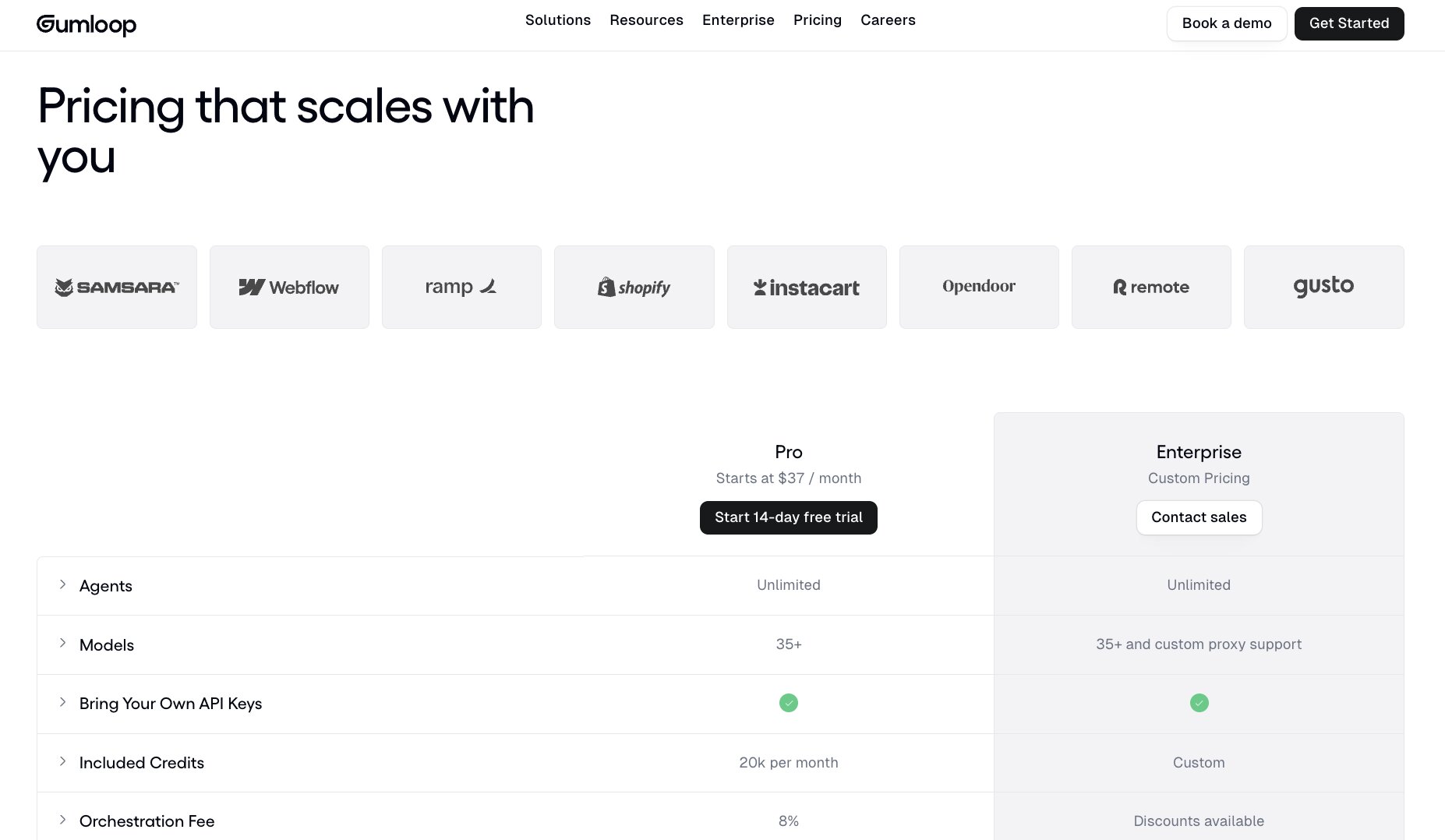
Here are Gumloop's pricing plans:
- Pro: Starts at $37/month (14-day free trial) with 20k included credits per month, unlimited agents, seats, and teams, 35+ models, bring your own API keys
- Enterprise: Custom pricing with custom credits, optional virtual private cloud, org-wide connector policies and guardrails, role-based access control, SCIM/SAML support, and audit logs
You can view more about their pricing here.
Gumloop reviews
Here is what users rate Gumloop on third-party review sites:
- G2: 4.8/5 star rating (from +7 user reviews)
- Product Hunt: 5/5 star rating (from +9 user reviews)
2. Browser Use
- Best for: Developers, product teams, and operators who want an open-source browser agent they can run locally or in the cloud
- Pricing: Free and open source to self-host, cloud browsers start at $0.02/browser-hour
- How I use it: Giving my agents natural language access to websites, like logging into dashboards and portals to collect data or submit forms
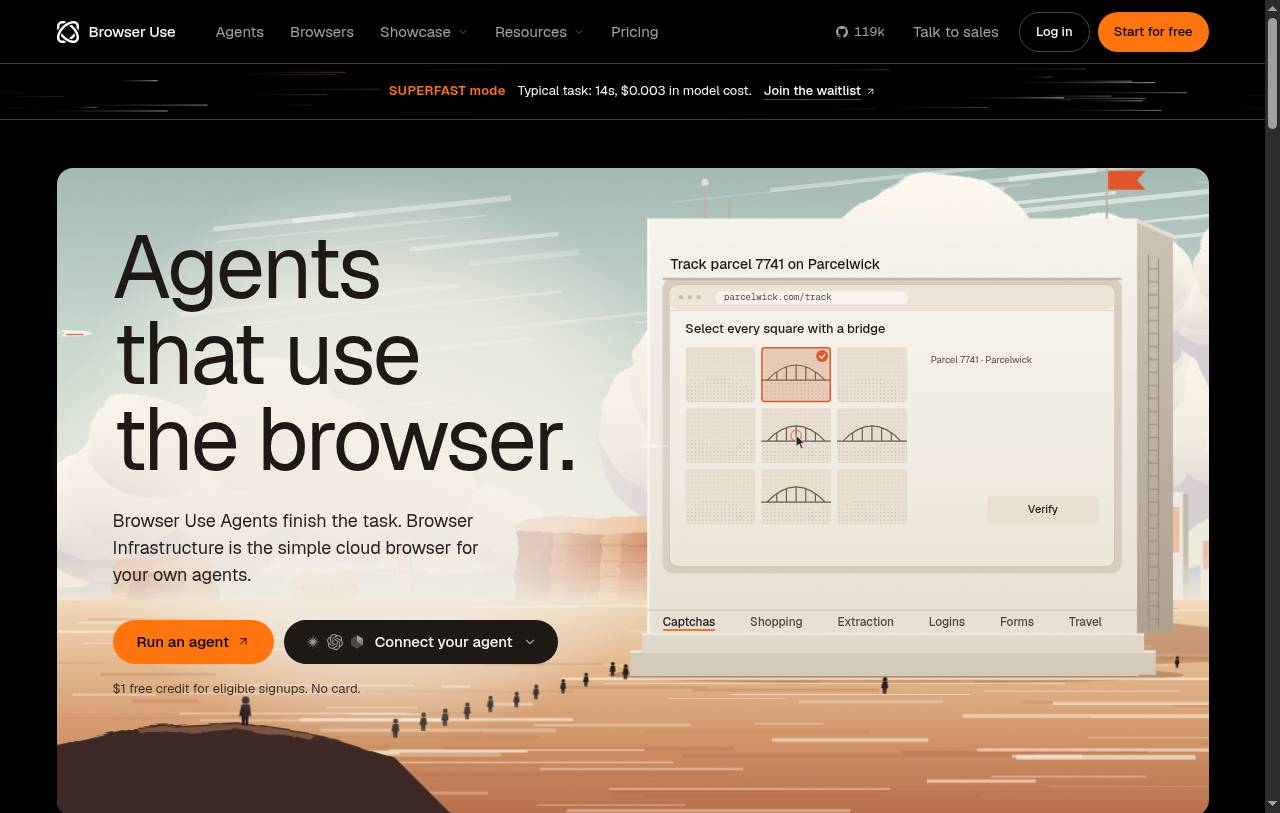
Browser Use is a fast-growing browser automation platform that gives your agents access to websites. It can click buttons, fill out forms, log in, and extract information based on any natural language prompts you give it through your agent, whether that's through Claude, ChatGPT, or Cursor.
It's also open source, and it has an MIT license that lets you run the browser automations locally or on your own infrastructure. Or you can use Browser Use's own infrastructure, which hosts them in the cloud, similar to how it's done inside of Gumloop. In fact, many of Browser Use's features are used inside of the Gumloop platform.
So with this tool, you can either use Browser Use as a standalone browser automation tool inside your agents, or you can use it as the infrastructure if you're building products that leverage a browser automation feature.
In that case, it's great for developers and product teams that are building AI features where they need their tools to interact with websites rather than just going straight through MCP servers or through API calls.
But at the same time, it's also great for operators who are trying to automate repetitive work across websites. And it's great if you need to log into different dashboards or portals to collect data or even submit forms.
At a high level, Browser Use has this concept of an observe, decide, act loop, where it will, in a web browser, observe what it's seeing on the screen, and then it will run its reasoning on what it should do, and then it will go around and start clicking on buttons. So it does leverage LLMs to help it do all of its reasoning. And with its hosted service, Browser Use manages your agents in your browser.
Here are some things I like about Browser Use:
- You can use Browser Use's own agents to bring your automations to life.
- It's all done in natural language, so you don't need to be a developer and code up some complex workflow to make it work.
Here are some cons with Browser Use:
- You still need to be somewhat in the loop to make sure that your agents are accurately submitting forms or doing actions on the web.
- If you want to self-host Browser Use's automation feature, it will require engineering resources and you need to maintain it. So just because it is open source, it doesn't really eliminate the cost or the work required to maintain features.
Browser Use pricing
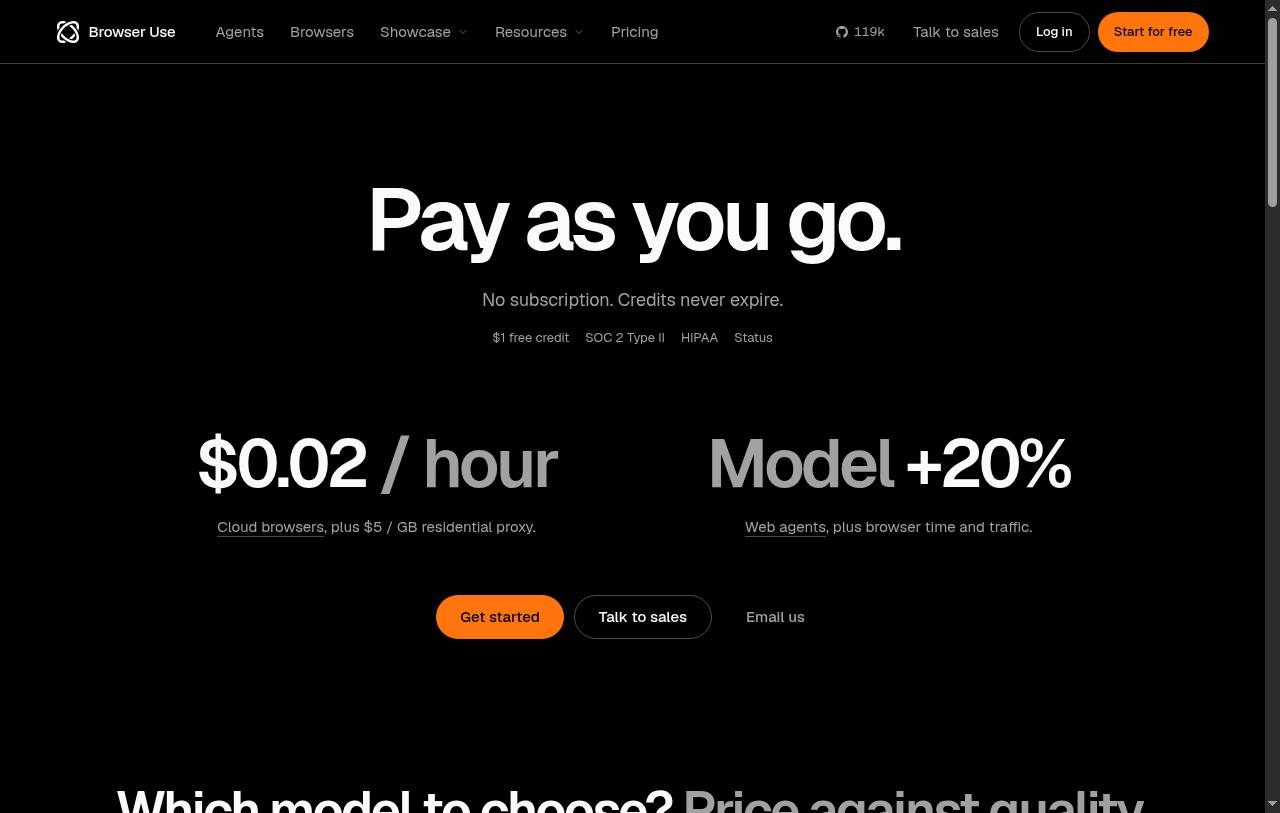
Here are Browser Use's pricing plans:
- Open source: Free under the MIT license to run locally or on your own infrastructure
- Free (cloud): $0 with a one-time $1 credit for eligible signups and up to 10 concurrent sessions
- Pay as you go: No subscription, with cloud browsers at $0.02/browser-hour, managed residential proxies at $5/GB, credit top-ups starting at $5, and concurrency that scales from 10 to 1,000 sessions based on total spend
- Enterprise: Custom pricing with 1,000+ concurrent sessions, custom SLAs, HIPAA support, zero data retention, and dedicated support
Agents running on Browser Use's hosted models are also billed per token on top of browser time. You can view more about their pricing here.
Browser Use reviews
Here is what users rate Browser Use on third-party review sites:
- G2: 4.2/5 star rating (from +64 user reviews)
- Product Hunt: 5/5 star rating (from +15 user reviews)
3. Browserbase
- Best for: Developers building fully custom agents or AI apps that need to take actions on websites
- Pricing: Free plan available, Developer starts at $20/month
- How I use it: Spinning up cloud browser sessions to test onboarding flows and catch broken steps, then reviewing session replays to see what went wrong
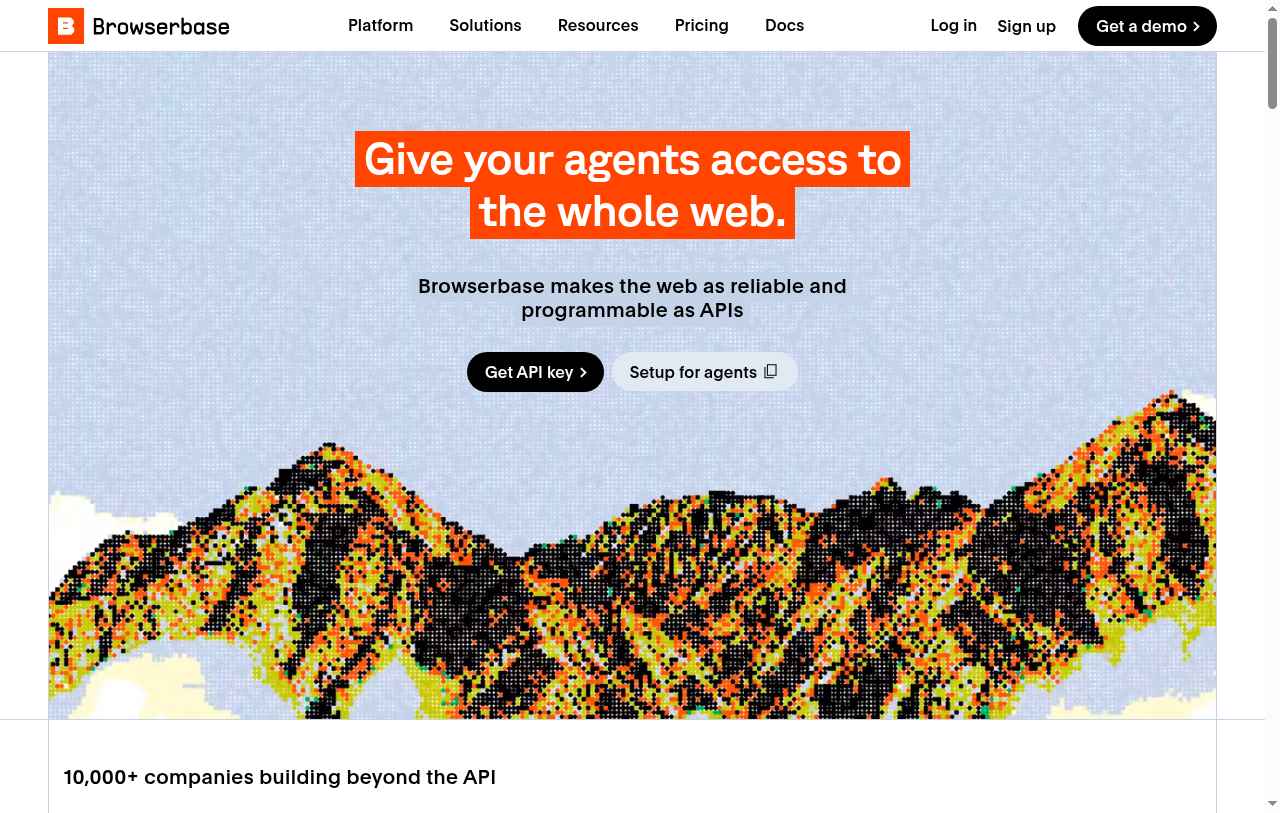
Browserbase is a browser automation platform that gives your agents access to websites. It's a bit more developer focused compared to the other tools we went over, given that it's mostly for those who are building fully custom agents that need access to the web.
It gives you browsers, web access tools, and even a debugging infrastructure so agents can browse through websites, pull information, fill out forms, and also perform actions. It gives you cloud browsers, which are managed browser sessions for interacting with websites and running different automations. You can also retrieve different search results or content on a page without needing to be within a full interactive browser workflow.
The tool also gives you activity logs, live browser views, and session replays, just like Gumloop. And it can handle different authentication and pass through bot detection.
The platform is using Stagehand, which is its MIT-licensed automation framework. And Browserbase is really the hosted platform in which you can access Stagehand.
This makes it great for any developer who's building an AI app that needs to take actions on websites. It's also good for data teams that need to go and research and collect information and turn it into structured data that they can pass through other agents.
And one really cool thing about Browserbase is that a friend who works there has told me that what they're seeing is that a lot of QA teams actually use it to automate and detect broken flows within their user onboarding journeys. So a lot of these browser automation tools, while they're great for just automating general work, they're actually really good for also helping you debug different onboarding flows or analyzing an entire funnel to see if anything is broken and what needs to be fixed.
The tool works by first creating a cloud browser session, in which an agent can then access and start interacting with the web. However, it is a more technical tool, so it's not as simple as just telling an agent to do something in natural language and it goes out and does it.
Here are some things I like about Browserbase:
- It has really good debugging tools like live views, logs, and session replays, so you can actually watch what an agent did and steer it accordingly.
- It's built on the Stagehand open source framework, so it can also run locally if you don't want to use a hosted platform.
- It has the ability to pass through anti-bot detection, solve CAPTCHAs, and even go through different auth flows.
Here are some cons with Browserbase:
- It still requires an engineering team to help set up, as it is more of an infrastructure platform.
- Costs can be a bit tricky, as there's things like browser time, agent runs, proxy bandwidth, search, fetch, and extraction that all take different actions and can quickly add up to the cost.
- While the Stagehand open source framework can run independently, to really get the benefit of it, you need a hosted platform to get the observability and the managed services.
- Unlike a platform like Gumloop, it doesn't really have great credential handling, and if you're interacting with sensitive data, you do want to be careful.
Browserbase pricing
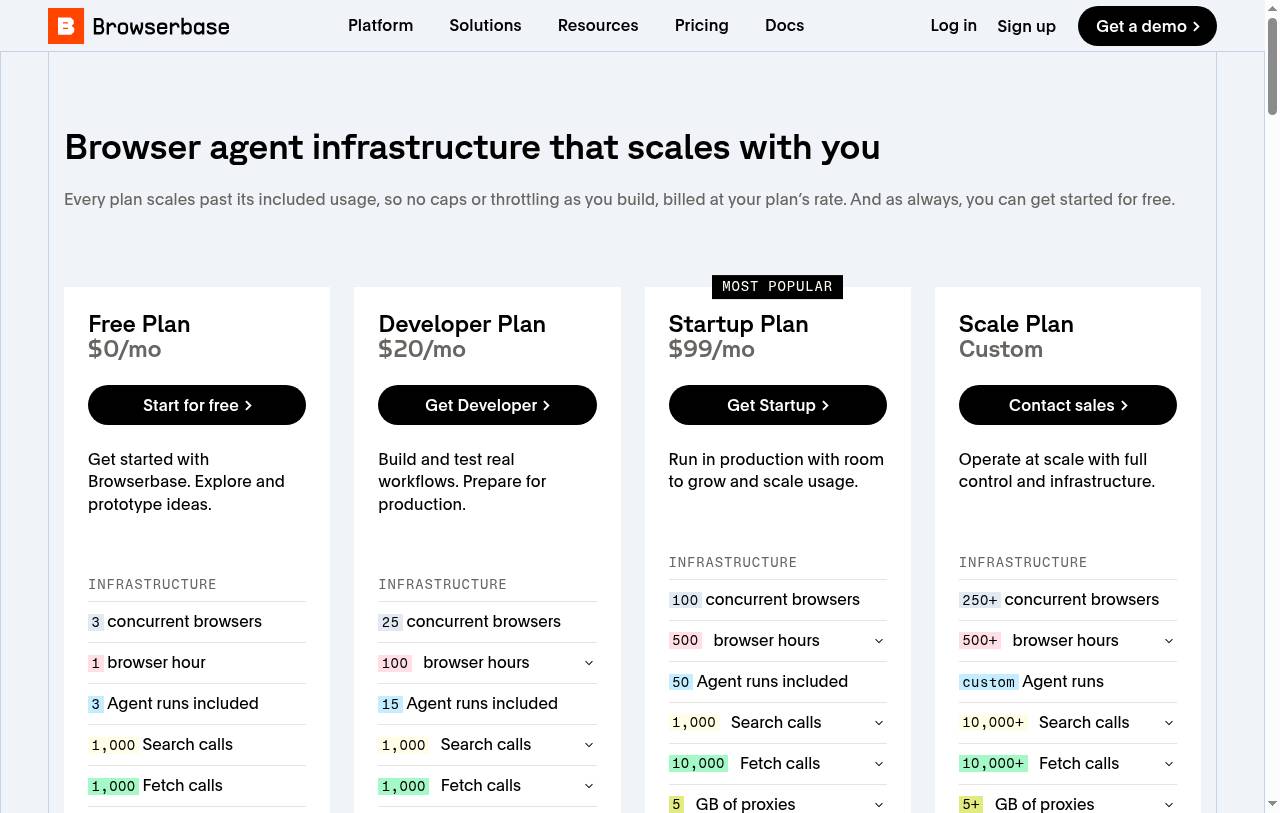
Here are Browserbase's pricing plans:
- Free: $0/month with 1 browser hour, 3 concurrent browsers, 15-minute sessions, 3 agent calls, and 1,000 search and fetch calls
- Developer: $20/month with 100 browser hours (then $0.12/hour), 25 concurrent browsers, 1 GB of proxies, 15 agent calls, and auto CAPTCHA solving
- Startup: $99/month with 500 browser hours (then $0.10/hour), 100 concurrent browsers, 5 GB of proxies, 50 agent calls, 30-day data retention, and priority support
- Scale: Custom pricing with 250+ concurrent browsers, Verified identity for bot detection, SSO, HIPAA (BAA available), and a DPA
Search, fetch, and extract calls are billed separately once you go past each plan's allocation. You can view more about their pricing here.
Browserbase reviews
Here is what users rate Browserbase on third-party review sites:
- G2: 4.3/5 star rating (from +51 user reviews)
- Product Hunt: 5/5 star rating (from +14 user reviews)
4. Skyvern
- Best for: Ops, finance, and e-commerce teams that want to automate browser-based business processes without code
- Pricing: Free plan available, Hobby starts at $29/month
- How I use it: Building workflows in the visual builder to log into vendor portals, pull invoices, and submit forms
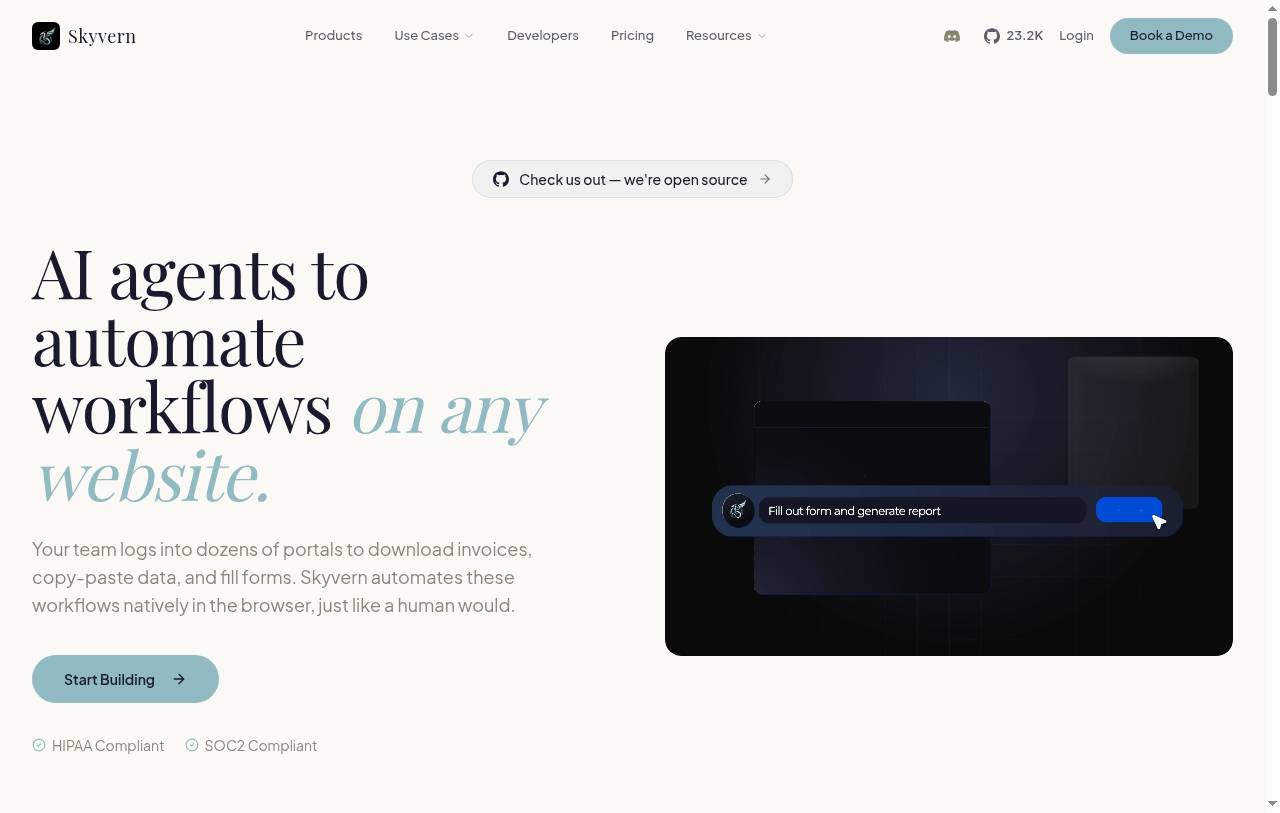
Skyvern is an AI agent platform that interacts with any website. It's a browser automation tool that can do multi-step workflows inside of your browser using LLMs, computer vision, and browser automation combined to navigate websites, download files, extract information, as well as fill out forms.
The tool is also open source, and it does give you developer SDKs for Python and TypeScript, including Playwright-compatible automation. And it also has a visual no-code builder for creating workflows in a browser.
And because it uses the AGPL 3.0 license, you can either self-host it yourself, or you can use Skyvern Cloud as a managed service to host your browser automation workflows. Using the managed service, it can also give you features like passing anti-bot detection and solving CAPTCHAs, as well as even having proxies, which are not included in the open source option.
This makes the tool great for operations-heavy teams where they want to automate any sort of work in the browser. So if you need to log into vendor portals and pull invoices, or you need to have an agent go and submit forms, this is great for anyone that is a non-technical user. So if you have a lot of BizOps or finance, or even a lot of e-commerce heavy operations, this can really help with automating much of that work.
So while the last tool we went over was a bit more developer heavy, this one is more "I just have a business process and I want to automate it."
The way it works is you first give Skyvern a task or a workflow that you want to automate by using the visual workflow builder. It'll then go and use the browser and inspect a page and take screenshots of all the elements. You can then choose to execute on specific actions, and the AI model decides what to click on, where to type, what to select, and the browser automation does all the work.
And Skyvern really likes to advertise their invoice retrieval service, so this is why I'm saying it's great for finance or business teams.
Here are some things I like about Skyvern:
- You have customizability in the way you want to deploy it, so teams can either use the managed cloud service or you can self-host it yourself.
- It's less reliant on visual reasoning and page element understanding, and more reliant on actual workflows you design for the agent to interact with.
Here are some cons with Skyvern:
When it comes to being open source, most credible open source software uses an MIT license, and Skyvern uses the AGPL license. So you do want to review it if you're building it into your own applications and just verify that you can actually integrate it or modify it within your own custom products.
Any sort of sensitive actions definitely need to be monitored carefully. And there aren't a lot of great security and privacy features built into Skyvern. At least not yet.
Skyvern pricing
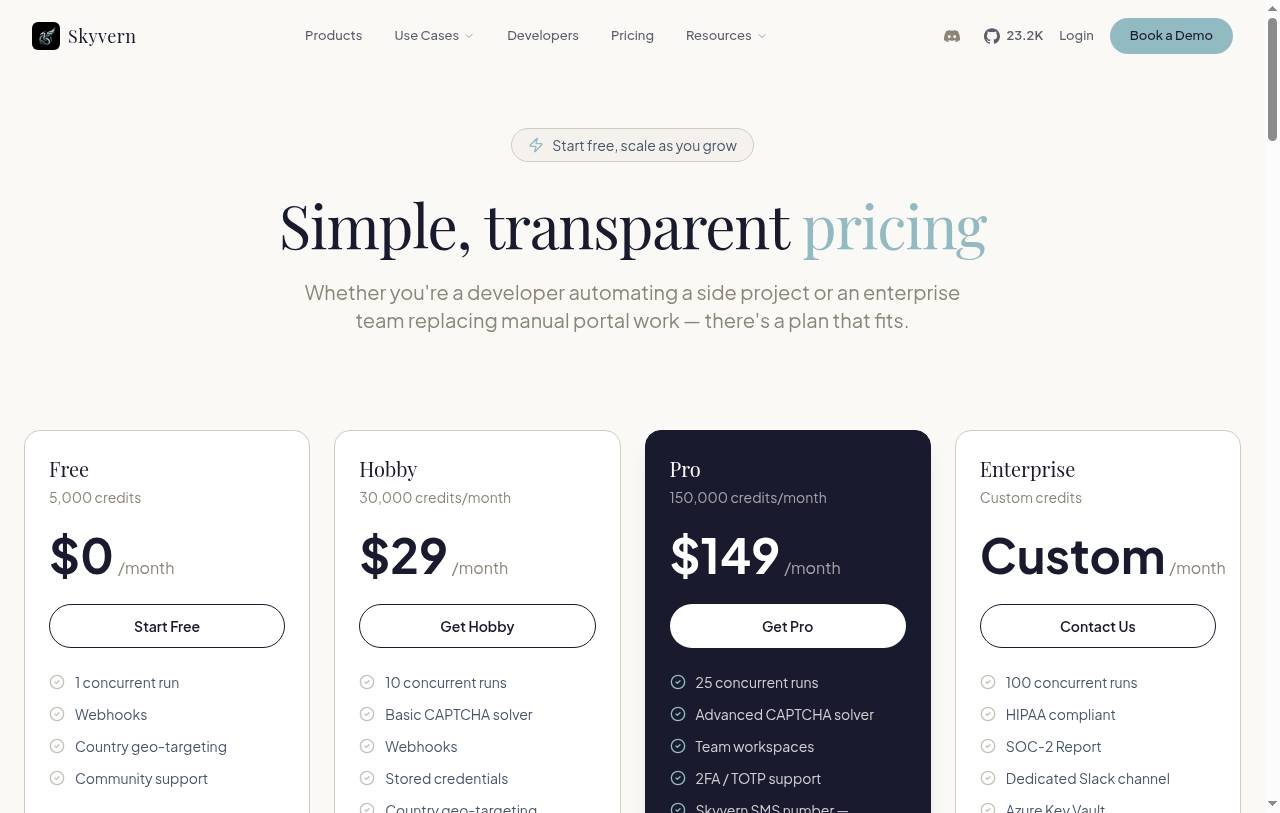
Here are Skyvern's pricing plans:
- Open source: Free to self-host under the AGPL 3.0 license
- Free: $0/month with 5,000 credits (about 170 actions), 1 concurrent run, webhooks, and a basic CAPTCHA solver
- Hobby: $29/month with 30,000 credits per month (about 1,200 actions), 10 concurrent runs, stored credentials, and email support
- Pro: $149/month with 150,000 credits per month (about 6,200 actions), 25 concurrent runs, an advanced CAPTCHA solver, residential proxies, 2FA/TOTP support, 1Password integration, team workspaces, and priority support
- Enterprise: Custom pricing with 100 concurrent runs, self-hosted deployment, HIPAA compliance, a SOC 2 report, SSO/SAML, human-in-the-loop, and a dedicated Slack channel
Credits are charged per workflow run based on its complexity, not per page or step. You can view more about their pricing here.
Skyvern reviews
Here is what users rate Skyvern on third-party review sites:
- Product Hunt: 5/5 star rating (from +7 user reviews)
5. Kernel
- Best for: Engineers who are building their own agents and need fast, reliable cloud browser infrastructure
- Pricing: Free plan available, Hobbyist starts at $30/month plus usage
- How I use it: Giving custom-built agents a cloud browser with managed auth, and watching the live view and recordings to debug where they get stuck
Kernel is a browser automation framework that gives your agents access to the internet. It's used by some pretty big companies like Vercel, Framer, and Cash App as the main cloud browser infrastructure for their agents. It gives you Chromium browsers that your agents can use to browse websites, interact with different apps, fill out forms, download information, and just complete tasks.
Now, what makes it different from the other tools we've gone over so far is that Kernel is mainly a browser environment and not necessarily an agent for reasoning or building your business workflows and agents on top of. You still have to bring your agents externally, and Kernel just gives you the infrastructure for browser automation.
You can think of it as a headless or visible Chromium session for your agents using its cloud browsers. It also has browser control, so it has connections to WebDriver BiDi, Playwright execution, as well as CDP. It can also go through authentication, so it has managed auth and persistent browser states across different sessions.
And just like Gumloop, it gives you proxies and CAPTCHA handling so it can access pretty much any website. And on top of that, you do get the observability with recordings, logs, and live view, so you can watch how agents actually use the browser.
This makes it a great platform for developers building on top of agent frameworks where they need reliable browser execution. So it's not a platform where you can just build automated workflows using a browser. It's more so the infrastructure for engineers to build browser automation inside of their custom-built agents.
So the way that I would think about it, if it works for you, is if you're building an agent and you need a browser infrastructure, then this is it. But if you need a sort of no-code tool to automate a process in the browser, then this is not the tool for you.
Here are some things I like about Kernel:
- It gives you really good debugging tools, so things like recordings, logs, live views, and telemetry to help figure out and debug different browser problems and agent mistakes.
- It's built for performance, so the infrastructure uses regional browsers and ready-to-use pools that can execute inside the browser VM. So it gives devs the ability to reduce startup and interaction resources.
Here are some cons with Kernel:
- You need to make sure that the outputs are validated.
- It is an infrastructure platform more so than a plug-and-play, ready-to-use browser automation tool. It requires heavy engineering involvement to get set up and running.
Kernel pricing
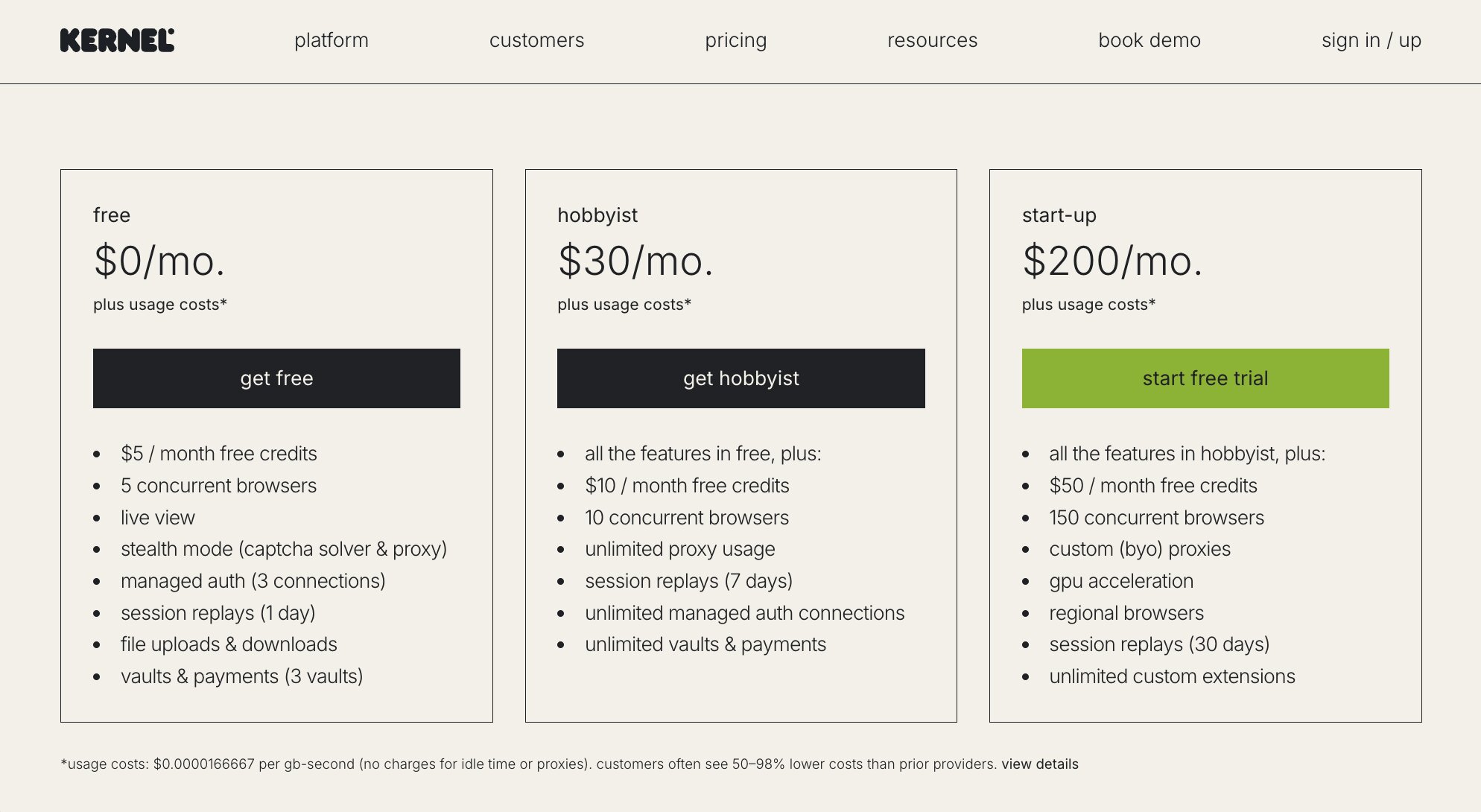
Here are Kernel's pricing plans:
- Developer: Free with $5 of monthly credits and 5 concurrent browsers
- Hobbyist: $30/month plus usage with $10 of monthly credits, 10 concurrent browsers, managed auth and browser profiles, and 7-day session replays
- Start-Up: $200/month plus usage with $50 of monthly credits, 150 concurrent browsers, bring your own proxies, GPU acceleration, and 30-day session replays
- Enterprise: Custom pricing
Usage is billed by browser memory and run time rather than a flat browser-hour rate. You can view more about their pricing here.
Kernel reviews
Kernel is still new so there are no ratings on third-party review sites.
Which browser automation tool should you choose?
It really comes down to which of the two buckets you fall into.
If you just want to tell an agent what to do and have it go do it, go with Gumloop or Skyvern. Gumloop is what I use when browser automation is one step inside a bigger agent, like my content optimizer. Skyvern is great if you want no-code browser automation for things like pulling invoices from vendor portals or submitting forms.
If you're an engineer building your own agents or app, then Browser Use, Browserbase, or Kernel are where I would look. Browser Use is the easiest to get started with since it's open source. Browserbase is great for web scraping and data extraction at scale, and it's also really useful for end-to-end testing your onboarding flows. And Kernel is the one I would pick if speed and reliable browser infrastructure matter most to you.
Like I said at the start, it's been a weird time to be in tech. There are new web automation tools coming out every week, and it's easy to get overwhelmed. But watching my agent log into our CMS and update a blog post on its own was the first time web automation actually felt real to me.
So pick one, try to automate one annoying task in your browser this week, and see how long it takes you to get there. That's the TTF I was talking about earlier.
Happy automating!

Read related articles
Check out more articles on the Gumloop blog.