6 best ServiceNow alternatives I’ve tested in 2026

For most businesses, ServiceNow is overkill.
It’s no secret that ServiceNow dominates the market when it comes to IT Service Management (ITSM) platforms. It’s powerful and capable and does everything… but that’s also the problem. It almost does too much. Most organizations don’t need the majority of its plentiful features, especially for how much it costs in both time and money to implement and maintain.
So I tested the best ServiceNow alternatives that don’t take six to twelve months to start using or a dedicated dev team to keep running.
These are the top six ServiceNow alternatives right now.
What to look for in a ServiceNow alternative
ServiceNow isn’t just a ticketing or IT service solution. Its real value is that it does everything from enterprise ITSM to internal HR, customer service, project management, managing business workflow automations, and more, all from a centralized database.
ServiceNow does a lot. It has a ton of features, but the right ServiceNow alternative for you depends on which features you truly need and which ones you won’t miss.
Running essentially every part of your organization with one platform can be worth it. ServiceNow is likely the most efficient option at high request volumes, if your company is large enough and complicated enough to use all the segments it offers.
The most likely scenario for most companies though (even enterprise companies) is that you won’t use it enough to get to where that value payoff makes sense.
Here’s the criteria I focused on when evaluating these ServiceNow alternatives:
- Implementation timeline: ServiceNow has a notoriously long implementation time, at least months. What if you want your IT Service Management platform to be working before the next season of The Pitt drops? This list is for you.
- Automation infrastructure, not just a help desk: A good ServiceNow alternative doesn’t need to do all the industry-leading IT stuff ServiceNow does, but it needs to go beyond just being a place to file support tickets. It needs to be capable of solving problems and keeping everyone updated.
- ITSM workflows: The best ServiceNow alternatives have purpose-built workflows for handling assets, incidents, knowledge and, of course, all types of tickets from customer service to an internal IT helpdesk.
- Value for money: Accounting for the platform fees themselves, plus any AI tool usage credits, do you accurately know how much this tool will cost you each month or year? Cheapest isn’t automatically best, but the value equation needs to be right for you.
- Actually useful AI tools: Does the AI in your chosen ServiceNow alternative move the needle, or just move money out of your account? I tested for helpful AI assistance features in customer service, agentic AI decision making, and more.
Of course, you may have additional criteria you judge these ServiceNow alternatives against, but these are my top five must-haves.
6 best ServiceNow alternatives in 2026
After weeks of testing and evaluation, these are the six best ServiceNow alternatives:
Now onto the reviews…
1. Console
- Best for: Automated ticket resolution via Slack for routine workflows
- Pricing: Contact for a custom quote
- What I like: Use alone or alongside ServiceNow to easily manage tickets in Slack or Microsoft Teams; continuously improves automated ticket handling; quick set up
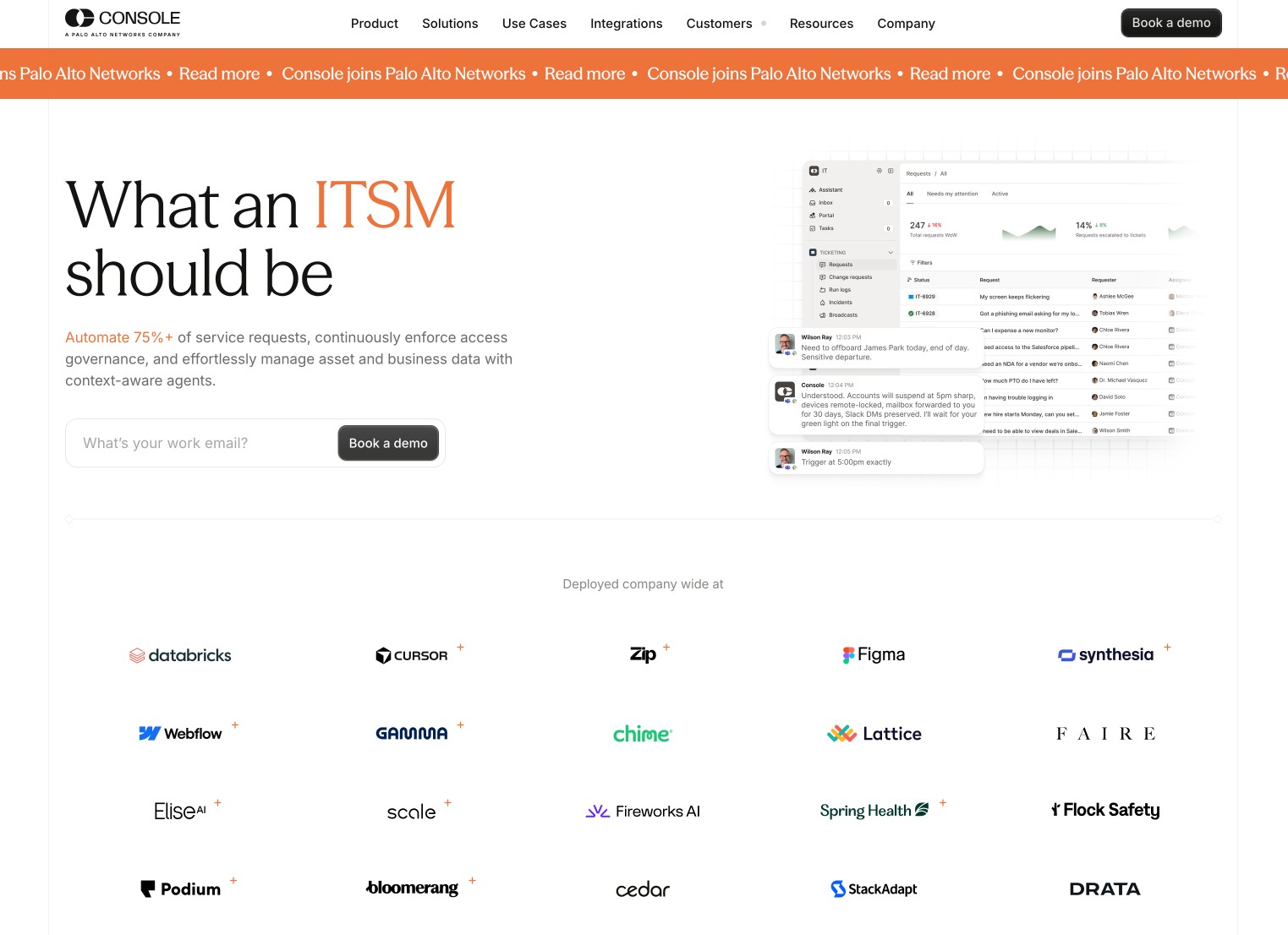
Console is a flexible, agentic-first ServiceNow alternative that you can use by itself or pair with ServiceNow for easier ITSM management via Slack or Microsoft Teams. There’s no doubt that ServiceNow is a powerful suite of tools to securely manage everything IT and service related… but all that power comes with high costs, including time spent implementing it and ongoing maintenance.
Console, on the other hand, can connect to your systems in about 30 minutes and start automating your ticket resolution in approximately three weeks without major infrastructure changes.
Console isn’t a full ITSM platform on its own, it’s an AI automation layer that prioritizes autonomous incident resolution. It’s also easier to use than ServiceNow for your employees, as they can manage Console AI agents within Slack or Microsoft Teams, eliminating the friction of learning yet another new dashboard or portal system.
Console key features
- Autonomous ticket resolution: Console handles tickets itself whenever possible, from access control to triage, all manageable from within Slack or Microsoft Teams.
- Continuous learning: Watches how your staff resolve tickets and continuously updates its own patterns for better automated resolution in the future.
- Automatic permissions: Define access and approval policies once and Console enforces them across all workflows and agents, granting least-privilege access when allowed and blocking restricted data when needed.
- Conversational AI everyone can use: Employees type what they want, Console builds it, including secure API and MCP access. Beyond giving answers, Console’s AI assistant takes real action.
Console pros and cons
Some things I like about Console:
- Start setting up Console in under 30 minutes and go live within three weeks, compared to ServiceNow’s average implementation time of three months to a year.
- Continuously learns from patterns to automate more resolutions (between 50-87%!), saving your team time and bumping up CSAT scores.
- If you need SLAs or a full enterprise ITSM, you can still use Console on top of ServiceNow or Jira.
Here are some things that could be improved:
- Console was acquired by Palo Alto Networks in September 2026, who plans to integrate it into their AI security platform, Cortex. This may or may not make Console and/or Cortex a good fit for your organization depending on how its features are implemented in Cortex in future updates.
Console pricing
Not publicly available; contact for a demo and quote.
Console reviews
Here’s what customers of Console rate the platform on third-party review sites:
- G2: 4.9 out of 5 star rating (from +20 user reviews)
2. Moveworks
- Best for: Enterprise teams who want easy-to-use conversational AI assistance and search across multiple back-end systems
- Pricing: Contact for a custom quote
- What I like: Powers search at the largest of large organizations; effectively connects multiple company systems without requiring a single knowledge base
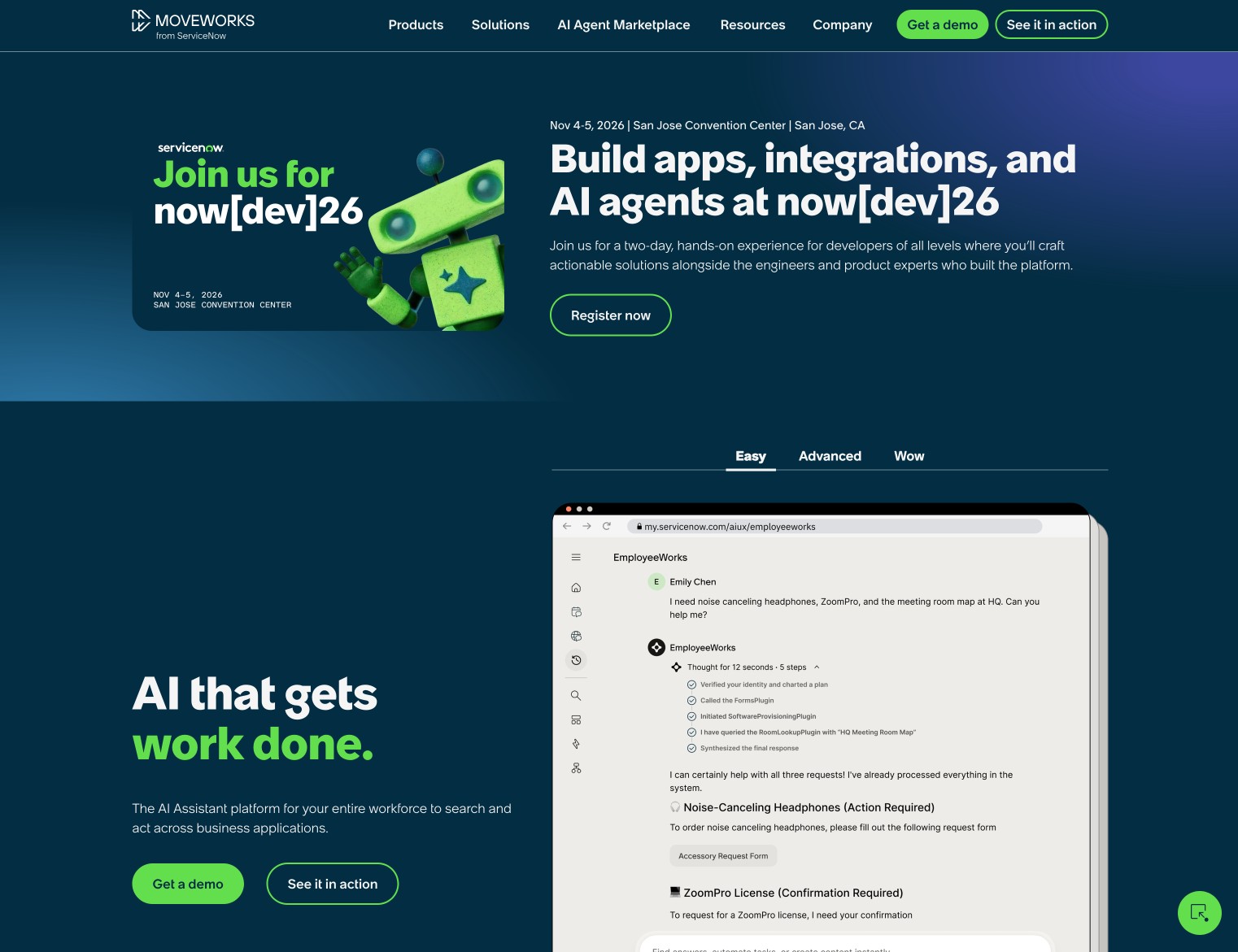
Okay, first off, you should know that ServiceNow bought Moveworks in late 2025. So if you really don’t want to use ServiceNow, Moveworks probably isn’t for you either. That said, Moveworks is still available as a standalone, separate product. It does need an ITSM platform behind it to power its AI assistance, search, and automatic ticket resolution features. Moveworks heavily promotes using it alongside ServiceNow, but you can use other ITSM platforms (e.g. Jira, Freshservice, etc).
Basically, Moveworks is the place where employees go to get stuff done. It’s a simple interface they can access within Slack, Microsoft Teams, or in their browser anytime to solve IT issues like password requests or look up info. Moveworks’ agentic reasoning can pinpoint root causes and self-resolve IT incidents, even across multiple ITSM platforms and hundreds of other enterprise connections.
The real question is… will Moveworks be around over the next few years? Or will ServiceNow roll it directly into their larger product? Only time will tell.
Moveworks key features
- Enterprise-wide AI Assistant and search: By connecting every app and system in your tech stack, Moveworks powers automatically resolving support tickets, employee info lookups, and workflows across your entire organization.
- Zero-trust security architecture: Besides the expected level of audit logging and least-privilege permissions control, Moveworks prioritizes regulatory compliance, such as FedRAMP and GDPR, as well as data privacy and vulnerability scanning to ensure safe operations.
- AI Agent Marketplace: Instantly add hundreds of AI agent templates (everything from compiling employee birthdays for team recognition to complex lead acquisition, onboarding, or cost center forecasting), plus create custom workflow automation templates in seconds with ToolSmith’s catalog of over 75,000 no-code API actions.
Moveworks pros and cons
Some things I like about Moveworks:
- Once Moveworks solves an incident or is tasked with a new workflow, it learns from that to inform future incident responses. It continuously learns from user behavior to improve accuracy and efficiency.
- If you already use or want to use ServiceNow, their acquisition of Moveworks has led to increased native integration between the two platforms, with Moveworks now forming the backbone of ServiceNow’s EmployeeWorks.
- Business users can get work done with Moveworks via natural language prompts within the tools they already use (e.g. Slack, Teams, browser, etc), while developers and admins can use the low-code Agent Studio to create custom plugins or configurations (or even fully code these themselves, if desired).
Here are some things that could be improved:
- If you’re trying to avoid ServiceNow altogether, Moveworks isn’t for you as it was purchased by ServiceNow in 2025. It still works as a standalone enterprise AI tool for now, though it’s reasonable to expect that ServiceNow may eventually roll Moveworks into their product suite.
- Moveworks serves as the AI layer on top of your systems but you still need an ITSM back-end, such as ServiceNow or another, to pair with it.
Moveworks pricing
Not publicly available; contact for a demo and quote.
Moveworks reviews
Here’s what customers of Moveworks rate the platform on third-party review sites:
- Gartner: 4.5 out of 5 star rating (from +116 user reviews)
3. Freshservice
- Best for: Midsize-to-large organizations wanting robust ITSM, ITAM, and ITOM administration without the heavy rollout ServiceNow requires
- Pricing: Starts at $19/agent/month, billed annually
- What I like: No-code, easy Freddy AI Agent Studio; almost all the power of ServiceNow with less administration effort
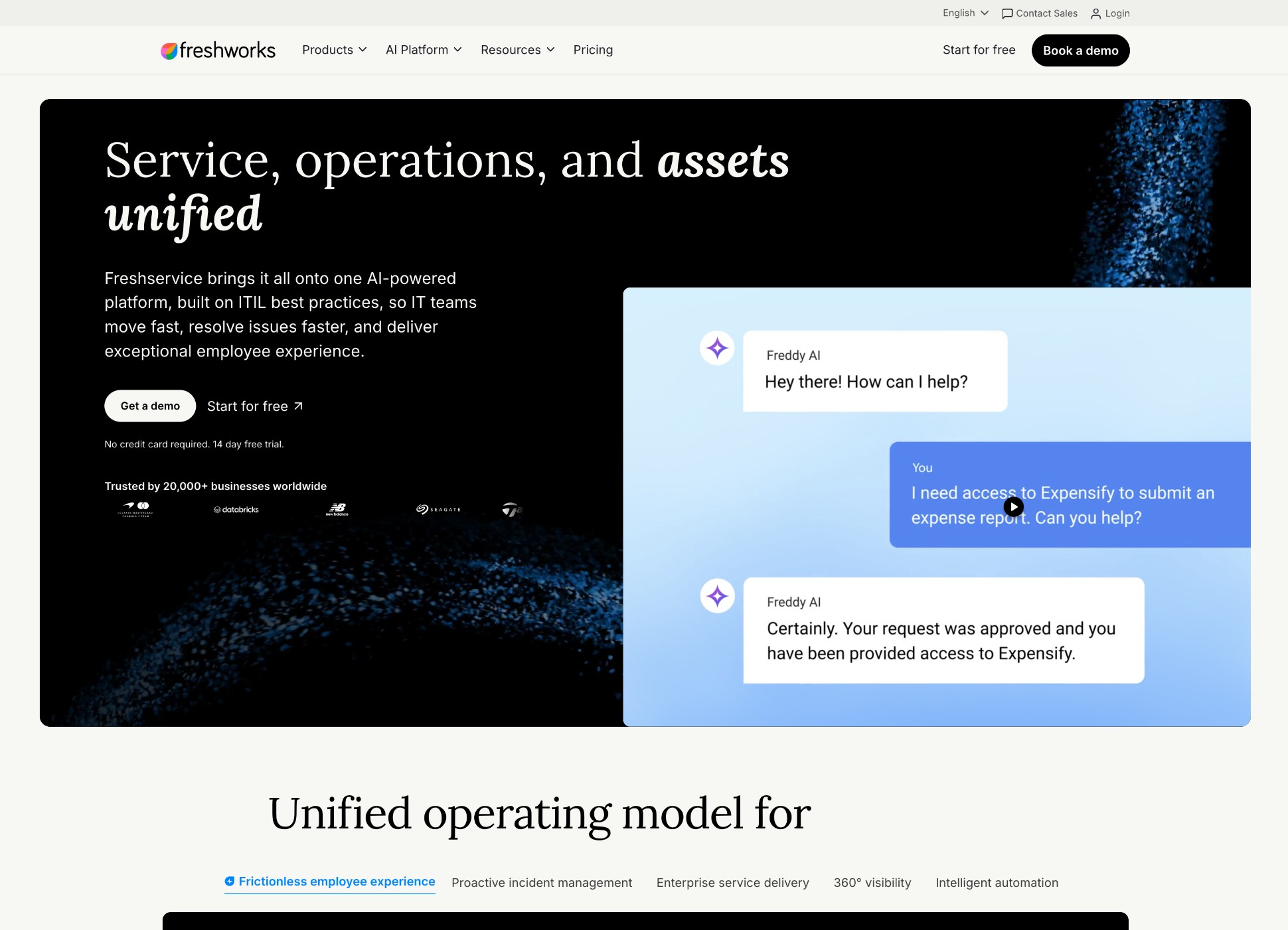
To me, Freshservice is the easier to use, friendlier version of ServiceNow. It has all the enterprise ITSM chops of ServiceNow in a self-setup package. Even Freshservice’s no-code AI agent builder has a warm, fuzzy name: Freddy AI.
Freshservice has been seen as a better fit for small-to-medium size organizations, though the company’s commitment to growth and new features has been recognized by Gartner this year, moving Freshservice from a “Challenger” to a “Leader” in the 2026 ITSM Magic Quadrant report, at the same level as ServiceNow.
Beyond IT management, Freshservice manages plenty of other eye-glazing-over acronyms as well: ITAM (IT Asset Management), ITOM (IT Operations Management), ESM (Enterprise Service Management). All the MMMs…
Freshservice goes beyond IT to also share data between and power workflows across Human Resources, finance, operations, and all your other departments, scaling across your entire organization.
Besides all its IT admin features, you can use it alongside Freshsales for CRM and Freshdesk for external customer support for a truly all-in-one platform that’s also easy to use. Of course, that ease of use can come at a steep price depending how many agents you need, ranging from $19 to $99 each per month, plus AI usage and other costs.
Freshservice key features
- Freddy AI Agent Studio: 100% no-code, easy to use AI agent builder for everyone in your organization to safely create AI agents, either from a template or custom built for their workflows.
- Automate resolutions up to 77% faster: Freddy AI automates more so your teams can accomplish more in less time. On average, Freddy AI delivers 41% faster responses, resolves tickets 77% faster, and deflects the need for 66% of all incoming tickets automatically.
- Faster time to value: ServiceNow requires a sales call and months of work to set up, plus dedicated staff to maintain it. With Freshservice, I can sign up for a free trial online, get started building, and scale when I’m ready. As Freshworks’ Chief Product Officer, Srini Raghavan, says, “[...] because ‘enterprise-grade’ shouldn’t mean unnecessarily complex.”
- All-in-one ITSM and customer service platform: Manage internal IT incidents, employee service, asset management, external customer service and CRM in one platform (with Freshsales and Freshdesk add-ons), with connections to the rest of your business systems and tech stack.
Freshservice pros and cons
Some things I like about Freshservice:
- On Pro and Enterprise tiers, you can add non-IT business users for $49/month, essentially half the cost of IT users. This means you can scale usage across more employees, who don’t need to access admin workspaces, while keeping costs down.
- Some of Freshservice’s newest features, such as Freddy AI Agent Studio, have only been around since May 2026 or later. However, Freshservice is actively improving and working on new features.
Here are some things that could be improved:
- Per-user pricing doesn’t account for multiple transaction, add-on, and AI usage costs required on top of that base amount. (More details below!)
- Freshservice Marketplace doesn’t have as many built-in agent templates or integrations as competitors… yet. It’s newer and under active development.
Freshservice pricing
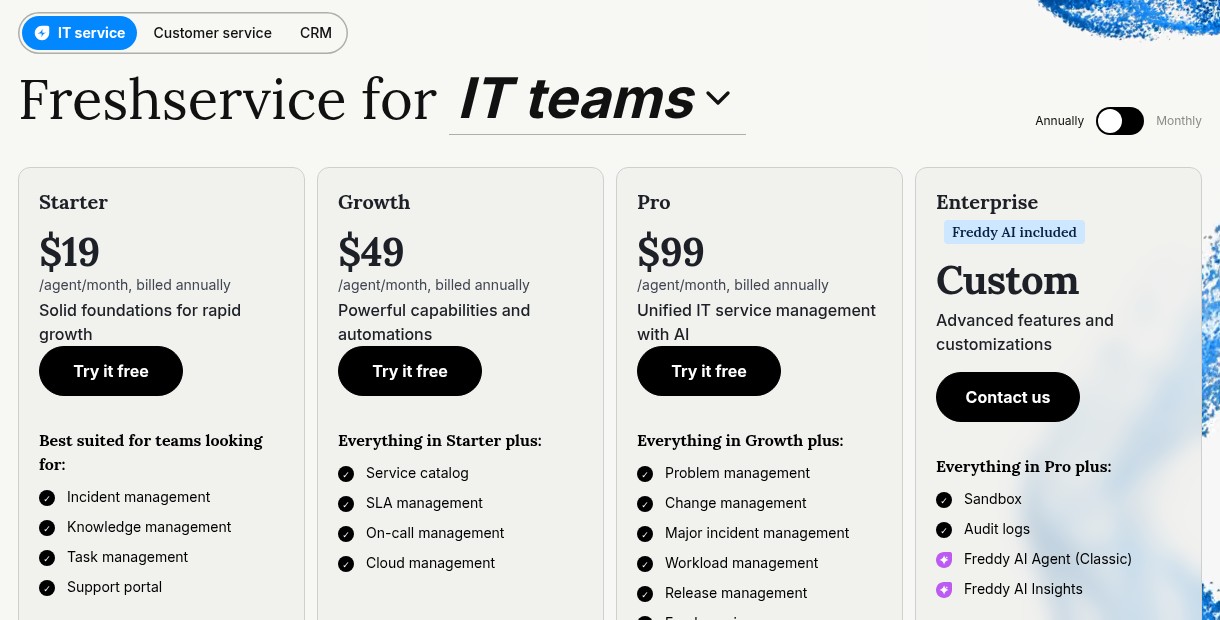
Freshservice offers four main tiers, all billed annually:
- Starter: $19/agent/month for simple incident management, task management, and a support portal.
- Growth: $49/agent/month for SLA management, service catalog, on-call, and more.
- Pro: $99/agent/month for major incident management, change management, employee journey-mapping, and the ability to add Freddy AI Copilot for an additional $29/agent/month.
- Enterprise: Custom quoted, includes audit logs, Freddy AI insights, advanced reporting and customization, and more.
Freshservice’s pricing seems straightforward at first: pay per-agent monthly depending on your plan tier. But there are quite a few additional extra add-on and hidden costs that can add up.
For example, needing to purchase “ITAM Asset Units” in packs of 500, AI Orchestration transaction costs ($250 per 1,000), MCP actions, and Connector app costs. Plus, usage of Freddy AI Agent Studio is only free until December 31, 2026 and future pricing hasn’t been announced yet.
Freshservice reviews
Here’s what customers of Freshservice rate the platform on third-party review sites:
- G2: 4.6 out of 5 star rating (from +1,363 user reviews)
- Capterra: 4.5 out of 5 star rating (from +805 user reviews)
4. Gumloop
- Best for: Adding enterprise-wide agentic AI while keeping your existing ticketing system (ServiceNow, Freshservice, etc)
- Pricing: 14 day free trial; starts at $37/month
- What I like: Easy for all employees to build no-code AI agents; IT still controls security and governance; extensive AI agent template library
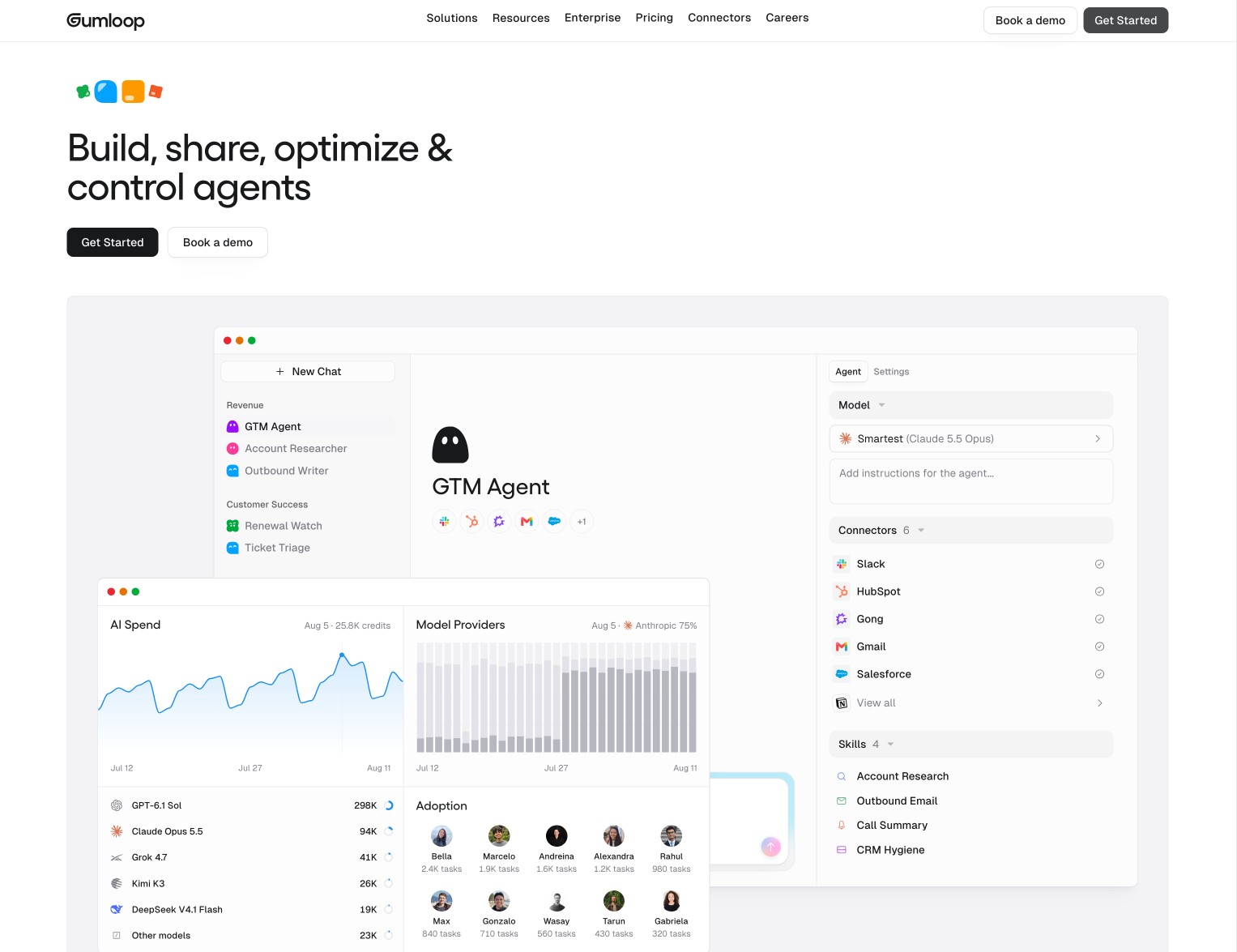
Gumloop easily integrates with ITSM platforms (such as ServiceNow, Freshservice, Jira, and others) to add the easiest to use, no-code AI agents and workflows across your entire organization. I’ve tried many AI agent builders over the last year and Gumloop is hands down the easiest and fastest to deploy real-world solutions that actually make a difference. If I can do it, anyone on your team can.
If your company only works with support tickets or handles ITIL workflows, ServiceNow is best. But for anything outside of those IT workflows, especially knowledge work, adding Gumloop doesn’t add more complexity. It simplifies your infrastructure. Each team can build the tools and agents they need by themselves, with IT remaining in control of security.
Yes, teams can build agents in ServiceNow too, but the system’s complexity often requires engineering involvement to build custom agents. Even for technical users, the learning curve is steep. In Gumloop, any employee can build AI agents who can work collaboratively to accomplish real tasks in one afternoon.
By using Gumloop alongside ServiceNow, you get the best of both worlds:
- Easy, powerful AI assistance for marketing, HR, operations, and other employees to create and run their own AI agents, and
- The robust governance and oversight ServiceNow provides, connected via MCP.
Gumloop is the better option for all the work that doesn’t live inside ServiceNow’s ticketing ecosystem, such as sales meeting prep, research, marketing reporting, CRM management, data analysis, and much more. Plus, there are one-click AI agent templates for these, and 185+ other business-specific workflows ready out of the box for you to customize. Run all your Gumloop agents through ServiceNow for total security with custom MCP servers.
Don’t want to use ServiceNow at all but still need enterprise-grade governance and audit logs?
Gumloop Enterprise scales to the volumes enterprise organizations need, with advanced security, granular permissions and model restrictions, real-time credit usage monitoring, VPC deployment, guardrails, and much more.
Gumloop key features
- No-code AI Agents: Anyone can create powerful AI Agents with drag-and-drop simplicity, letting the people who understand what needs to get done best (your employees) actually build the workflows to do that work.
- 185+ AI agent templates to start in minutes: Find an AI agent or workflow template for specific marketing, sales, operations, development, and customer support tasks and workflows and install it with one click.
- Model-agnostic: Use any of over 35 top AI models with custom restriction and routing rules, supporting Bring-Your-Own-Keys (BYOK) to save on credits.
- Use alongside ServiceNow for governance or use Gumstack: Gumloop’s own security and monitoring layer, Gumstack logs all tool calls across your org, not just ones Gumloop makes, and manages access and MCP servers for all.
Gumloop pros and cons
Some things I like about Gumloop:
- Cap spending on specific agents or teams, with manual approval of overage requests, to keep budgets on track and control costs as you scale.
- Create and launch agents and workflow automations in days not months, without needing an engineering team dedicated to maintaining the system, like ServiceNow requires.
- Integrates seamlessly with ServiceNow’s governance and oversight via custom MCP connections.
Here are some things that could be improved:
- Not a full ITSM or ticketing system on its own for high-volume internal or external IT support, though works well alongside top ITSM platforms.
- No built-in SLA engine or ITIL changelog.
Gumloop pricing
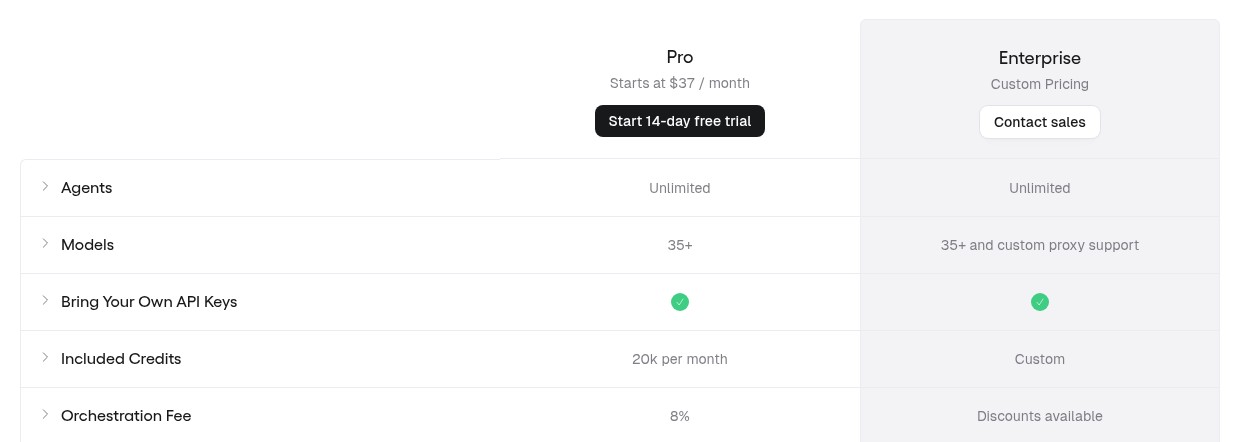
Start your 14 day free trial (enough time to get fully up and running with custom AI agents and workflows), then choose from the Pro or Enterprise plans.
Pro:
- Starts at $37/month for 20,000 monthly credits with unlimited users, AI agents, and teams
- Over 35 AI models and BYOK
- Organization-wide knowledge base
- One custom MCP server hosting
- MCP clients and command line control
Enterprise:
All of the above from the Pro plan, plus:
- Custom monthly credit amounts and orchestration discounts
- Dedicated support
- VPC deployment
- Custom MCP server hosting and proxying
- Enterprise-grade security, including SSO, SCIM, RBAC, audit logging, admin dashboard, AI model restrictions, and more
Gumloop reviews
Here’s what customers of Gumloop rate the platform on third-party review sites:
- Product Hunt: 5 out of 5 star rating (from +9 user reviews)
- G2: 4.8 out of 5 star rating (from +7 user reviews)
5. Zendesk

- Best for: Running internal IT and HR support alongside external customer service ticketing in one platform
- Pricing: Starts at $19/agent/month, billed annually
- What I like: Omnichannel service coverage across messaging, chat, email, voice, and more; automated ticket resolution; no-code AI agent builder
Zendesk excels at managing conversational customer service tickets, as well as internal IT or HR questions. Zendesk is built for speed, both in answering requests and in ease of use. You can be up and running with Zendesk in just a few weeks without technical hurdles.
Something that sets Zendesk apart is its per-resolution billing. Your subscription is based on your number of agents and you only pay AI usage costs when it solves a ticket, not when one is created. With ServiceNow, you pay for every single AI action, whether it leads to a measurable outcome or not, which can quickly eat through budgets if usage isn’t being monitored.
I think Zendesk makes the most sense if you primarily deliver service via conversations, either a customer starting a chat about an order or product question, or an employee troubleshooting an error or asking an IT question.
If your organization needs to have change management documentation, ServiceNow is still a better fit. (Zendesk doesn’t have a CMDB built-in.) However, if you just need IT asset management and employee self-service portals without change management, you can add one of Zendesk’s Employee Service Suite plans.
Zendesk key features
- Full omnichannel customer service: Cover all the channels your customers want to reach you with one platform; email, chat (website), voice, and social media messaging.
- Serve customers in 80+ languages in real-time: AI agents can answer in over 80 languages, providing fast and accurate service to your global customer base.
- Copilot AI guides responses and suggests improvements: While it’s an add-on service, Zendesk Copilot saves your human team time by suggesting next steps and triggering workflows, as well as uncovering insights to streamline your service experience going forward.
Zendesk pros and cons
Some things I like about Zendesk:
- You only pay for tickets Zendesk solves automatically, without involving a human. This ties your budget to real outcomes, not just ticket volume.
- Ability to add IT asset management, employee portal, SLAs, and more for $59 per month per agent.
- Fast implementation and simple to manage.
- Use Zendesk for customer service, internal service, and simple IT asset management, or use it for external customer service paired with a more complex internal IT system (such as ServiceNow).
Here are some things that could be improved:
- While some prefer the outcome-driven approach, it can be difficult to predict budgets based on per-resolution pricing, especially around high-volume service times such as Black Friday.
- Add-on features (such as advanced data privacy, Copilot AI, and others) really add up.
Zendesk pricing
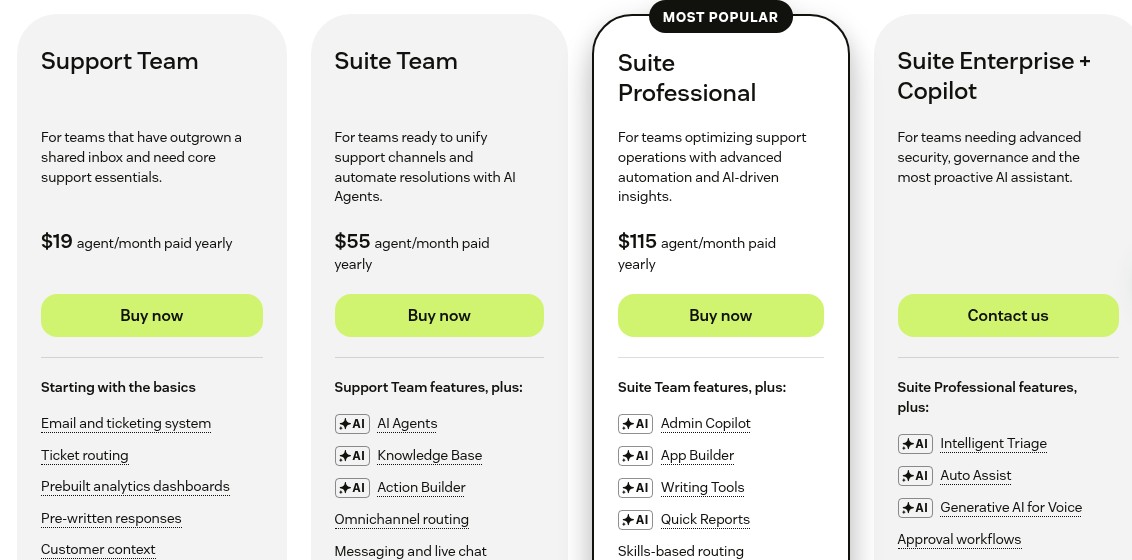
Zendesk has three types of pricing plans: Customer Service, Employee Service, and Contact Center.
For the Customer Service plans:
- Support Team: $19/agent/month for basic email support, ticket routing, and automations.
- Suite Team: $55/agent/month for AI Agents, AI action builder, omnichannel routing, messaging/live chat, and more.
- Suite Professional: $115/agent/month for a custom app builder, AI writing tools, skill-based ticket routing, and more.
- Suite Enterprise + Copilot: Custom quoted, includes AI triage, AI auto-assist, approval workflows, custom agent roles, and more.
For the Employee Service plans:
- Suite Team: $29/agent/month for internal IT ticketing, AI Agents, knowledge base, and more.
- Suite Growth: $59/agent/month for IT asset management, employee portal, SLAs, and more.
- Suite Professional: $99/agent/month for custom app builder, AI writing tools, advanced routing, and more.
- Suite Enterprise + Copilot: Custom quoted, includes AI triage, approval workflows, and more.
The Contact Center add-on is an additional $83/agent/month when added to any Suite-level plan and enables you to create a unified agent workspace using Amazon Connect telephony infrastructure.
Zendesk reviews
Here’s what customers of Zendesk rate the platform on third-party review sites:
- G2: 4.3 out of 5 star rating (from +7,102 user reviews)
- Capterra: 4.4 out of 5 star rating (from +4,094 user reviews)
6. Jira Service Management
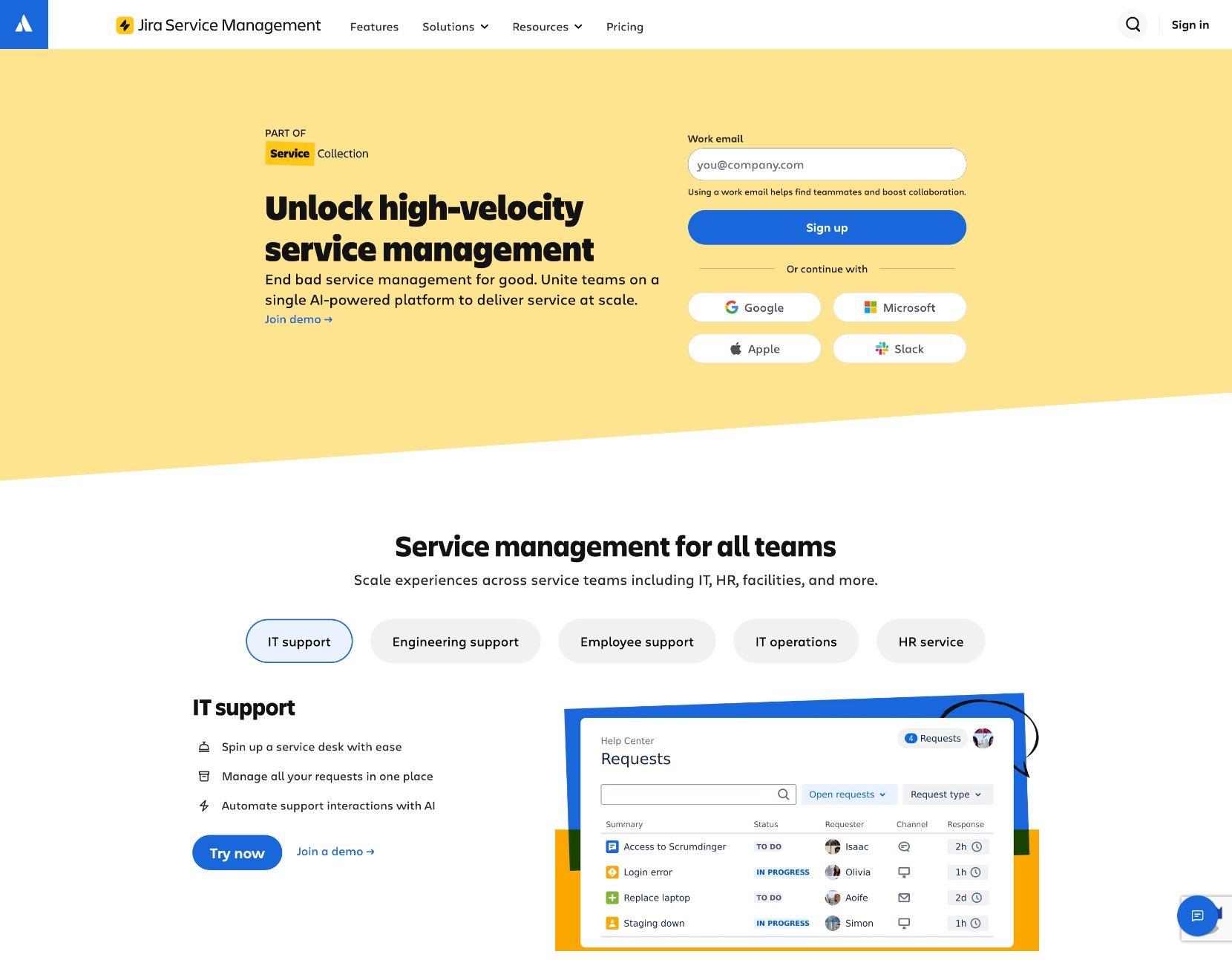
- Best for: Developer-led organizations already using Jira and Confluence who want to combine engineering, IT, and incident reporting
- Pricing: Starts at $26.90/agent/month
- What I like: Keep bugs and their fixes in one system; now more value bundled with CSM and Rovo AI; native Jira integration
For large product teams or engineering-first organizations, Jira Service Management (JSM) has long been a staple to keep development and IT teams on the same page. As of 2025, JSM exists as part of Atlassian’s Service Collection. Now, Customer Service Management, Assets, and Rovo AI are bundled with JSM, for the same price JSM used to be. This combo deal makes it much more competitive against ServiceNow by essentially matching its main features that most organizations care about, with the added bonus of native Jira integration for development-heavy organizations.
If your engineering and IT teams already work inside Jira and you need advanced ITSM features like asset management, incident alerts, and change tracking, using Atlassian’s Service Collection makes more sense than ServiceNow for that reason alone.
However, if self-hosting is a must-have for you, look elsewhere. Atlassian is ending support for self-hosted deployments via their Data Center licenses in 2029.
Jira Service Management key features
- Native Jira integration: Everything code-related, including incidents, connect directly to development work in Jira. Engineers and IT are all working from the same data without needing third-party integrations.
- One platform to handle it all: Jira Service Management now comes with Customer Service Management, Assets, and Rovo AI for full IT asset management, incident resolution, change management, and external customer support.
- Advanced ITSM workflows: Asset and hardware management, incident alerts, change management processes, identity verification, enterprise security, and more.
- Atlassian Rovo AI: Powerful AI assistance and automation across projects, workspaces, and code, everywhere your team works in Jira. With full context and visibility, Rovo delivers up-to-date insights and suggestions.
Jira Service Management pros and cons
Some things I like about Jira Service Management:
- The most efficient choice for engineering-first organizations to run ITSM workflows, incidents, service, and AI agents all in one platform.
- Rovo AI is easy to use, whether it’s IT writing code in Rovo Dev or business users interacting via natural language chat. Anyone can build no-code, secure AI agents in Rovo Studio and accelerate AI-enabled teamwork, like at Cisco where Rovo helps create reports 40x faster.
- Only pay for active users working on ticket resolution. External customers and ticket submitters are free.
Here are some things that could be improved:
- Atlassian is phasing out self-hosted options in 2029. New customers can’t sign up for new self-hosted (Data Center) licenses, and support for existing Data Center licenses ends March 28, 2029. If self-hosting is a must for you, this is a dealbreaker. (However, self-hosting support for code tools Bitbucket and Bamboo will continue.)
- Advanced asset management and other top features only available on Premium and higher plans. Premium also costs more than double the Standard plan, per agent.
Jira Service Management pricing

The Atlassian Service Collection is priced per-agent, per-month with progressive discounts based on your number of agents. (Use their pricing calculator to determine your cost.)
The plans are:
- Free: Free up to three agents and 1,250 monthly automation steps, and includes multi-channel support, AI reports, and more.
- Standard: Starts at $26.90/agent/month for 10 agents and includes asset management, custom help center, 3,000 monthly automation steps, 250 Rovo credits, and more.
- Premium: Starts at $61.60/agent/month for 10 agents and includes advanced asset management, virtual service agents, 6,500 monthly automation steps, 700 Rovo credits, and more.
- Enterprise: Custom quoted, and includes enterprise-grade access and identity management, 9,500 monthly automation steps per user, 1,500 Rovo credits, and more.
Jira Service Management reviews
Here’s what customers of Jira Service Management rate the platform on third-party review sites:
- G2: 4.3 out of 5 star rating (from +986 user reviews)
- Capterra: 4.5 out of 5 star rating (from +779 user reviews)
How to choose the best ServiceNow alternative for you
The key to finding the best ServiceNow alternative for your organization is knowing which features of ServiceNow you really need.
For example, is your biggest struggle keeping up with repetitive service requests, like password changes or access queries? Instead of ServiceNow’s complexity, an alternative designed for resolving tickets at scale is your best bet, such as Console or Moveworks.
If most of your ticket volume is from external customers, purpose-built Zendesk shines with its resolution-based pricing and multi-language support.
If you want most, or all, of ServiceNow’s advanced ITSM features without a months-long implementation, Freshservice is the closest, easier-to-use match.
If your dev and IT teams are already working in Jira and Atlassian tools, Jira Service Management is a seamless extension of that environment that makes sense.
And, if you need a ServiceNow alternative that can efficiently automate your workflows across dozens or even hundreds of systems, without needing a dev team, Gumloop hits the mark. While not a full-on ticketing solution, Gumloop can help you stay lean by pairing a lightweight ticketing solution with enterprise-level automation that actually works across business systems.
Give Gumloop a try today for free, and I bet you’ll be impressed with what you can automate right away.

Read related articles
Check out more articles on the Gumloop blog.