Run a GEO audit and find out why AI answers skip you
Paste a URL. The GEO audit agent checks crawler access, content structure, trust signals, and schema, scores your AI visibility, and writes the report you send to the client.


Trusted by leading teams




Four pillars, one score, a report you can send
A GEO audit from one URL, with nothing to connect.
What is the GEO Audit Agent?
The Gumloop GEO audit agent checks how visible a website is to AI search engines and assistants. Generative engine optimization, GEO, is the work of making a site readable, trustworthy, and citable for ChatGPT, Perplexity, Google AI Overviews, and Claude. Give the agent a URL and it runs a GEO audit across the four things those engines read: technical crawlability, content structure, trust signals, and schema.
It fetches robots.txt, llms.txt, the sitemap, and the JSON-LD on your key pages. It reads the pages most likely to be cited and checks whether they answer questions directly. It searches the category questions a buyer would ask and records which domains get cited and whether yours is one of them. Each pillar gets a score out of 100 with the findings behind it, rolled into one AI visibility score.
The deliverable is a GEO audit report: one HTML file with the score, the per-pillar findings, the competitor citation comparison, and a roadmap where each fix names the exact change. Web search, web fetch, and a code sandbox are built in. Run it once as a health check, before a launch, or monthly to track the score.

What you can do with the GEO Audit Agent
Workflows the agent handles out of the box.
Technical crawlability check
Reads robots.txt, llms.txt, sitemaps, and response headers, and lists every AI crawler the site blocks.
Content structure scoring
Checks key pages for direct-answer paragraphs, question-led headings, FAQ blocks, and comparison tables, the formats engines quote.
Trust signal review
Looks for bylines, update dates, citations, review markup, and third-party mentions, the signals that decide whether a source gets cited.
Schema visibility audit
Inventories JSON-LD across the site and reports which pages carry Organization, Product, FAQPage, Article, and HowTo markup and which carry none.
Citation comparison
Searches your category questions and records which domains get cited, how often each competitor appears, and whether you do.
GEO audit report
Renders the score, the findings, the comparison, and the roadmap into one HTML file you can send.
How to use the GEO Audit Agent
Get from landing page to live agent in a few clicks.
- 1
Click "Use this agent"
An agent is created in your Gumloop workspace with the audit rubric loaded and web search, web fetch, and a code sandbox turned on.
- 2
Paste a website URL
Add the category questions a buyer would ask and a few competitors if you have them. Otherwise the agent derives them from the site.
- 3
Download the report
A couple of minutes later you have the score, the pillar table, and the three fixes to do first in chat, with the full report attached.
GEO Audit Agent use cases
Real workflows teams run with this agent.
GEO audit report for a client
Run it on a client site and send the report. Same structure every time, so the deliverable is predictable.
Monthly GEO audit on your own site
Schedule it and watch the visibility score over time. A release that changes templates or robots rules shows up as a drop.
AI discoverability check before a launch
Audit the new landing pages before they go live, so schema, FAQ blocks, and crawler access are in place on day one.
Compare visibility against competitors
Name the three competitors you lose deals to and see who gets cited for your category questions, and why.
Sample audit report for a pitch
Run a quick audit on a prospect before the first call and open the meeting with their score.
Ticket-ready fix list for engineering
Ask for technical findings only: blocked bots, missing llms.txt, pages without schema, each with the exact change.
Why use Gumloop for the GEO Audit Agent
A fixed rubric
Every pillar is scored the same way every run, and every point lost names the file or page that cost it.
Nothing to connect
Web search, web fetch, and the code sandbox are built in. Paste a URL and go.
A report you can send
One HTML file with the data behind every recommendation, not a wall of text in chat.
Narrow it in chat
Add competitors, change the category questions, focus on one pillar, or ask for the fix list only.
Related agents
AI SEO optimization agent
Once engines can read the site, make each page worth citing with a brief built from the live SERP.



AI SERP analysis agent
See how the classic search results for your category look next to the AI answers, keyword by keyword.
AI brand monitoring agent
Track how often your brand is mentioned across the web after the fixes ship.
With enterprise-grade infrastructure and security
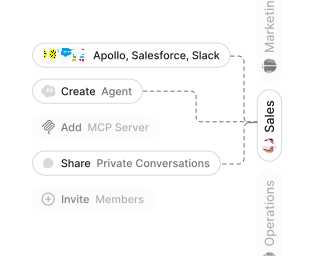
Role-based access control
Manage reusable roles, shared credentials, and secrets with scoped access controls.


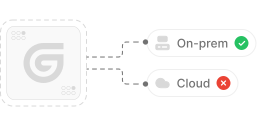
Virtual private cloud deployments
Deploy Gumloop in your own cloud.
Anthropic
OpenAI
Gemini
DeepSeek
AI model restrictions
Control which AI models teams can use. Set guardrails and enforce spend policies.
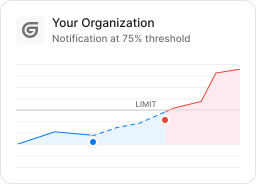
Usage monitoring
Track organization-wide credit usage in real time. Implement budget and quota controls to avoid surprises.
TODAY



WEDNESDAY


Audit logging
Capture detailed audit trails for actions across the organization to understand where data is flowing.

AI proxy support
Bring your own API keys and route requests through your own proxy.
Sign in with Okta
Single Sign-On
Securely streamline identity and access management.


Zero Data Retention
Gumloop never uses customer data to train AI models. For third-party models, we have Zero Data Retention (ZDR) agreements and Data Processing Addendums (DPAs).


SOC 2 Type II Certified
Gumloop is committed to security, and is compliant with SOC 2 Type II and GDPR. Visit trust.gumloop.com to learn more.
Frequently asked questions
Tasks automated to date
Try the GEO Audit Agent