A recruiting AI agent that screens, scores, and sources candidates
Share a job description and your candidates. The agent screens every resume, scores LinkedIn profiles, ranks the shortlist with evidence, and writes it back to your tracker.


Trusted by leading teams



The first screen in minutes, not days
Screening, profile analysis, sourcing, and pipeline reporting, scored with evidence, written to your tracker.
What is the Recruiting AI Agent?
The Gumloop recruiting AI agent takes the repetitive parts of hiring off a recruiter: resume screening against role requirements, candidate ranking, LinkedIn profile analysis, market research for a role, passive candidate sourcing, and pipeline reporting. Give it a job description and a set of candidates, as a spreadsheet, an ATS export, uploaded resumes, or profile URLs, and it scores every candidate and shows the evidence.
It does the research a recruiter would do before a screen. It reads the resume, checks the public record on LinkedIn, GitHub, and the open web, verifies the claims it can, flags the ones it cannot, and writes one summary per candidate. Results land back in the tracker you already use, so the hiring manager sees a ranked shortlist with reasons instead of a folder of PDFs.
The agent recommends and people decide. It never rejects a candidate on its own, it explains every score in plain language, and it scores only against the requirements you give it. Run it on one role, point it at the whole pipeline for a time-in-stage report, or ask it to source candidates from open-source projects and conference lineups when inbound is thin.

What you can do with the Recruiting AI Agent
Workflows the agent handles out of the box.
Resume screening against the role
Reads every resume against the must-haves and nice-to-haves and returns a score, the evidence for it, and a recommended next step.
Candidate ranking with reasons
Sorts the pool into advance, discuss, and decline with one line each, so recruiters can reply honestly and hiring managers can skim.
LinkedIn profile analysis
Scores a profile against the role and writes a one-page brief: trajectory, scope, notable work, and the questions to ask.
Hiring market scanner
Researches who else is hiring for the role, what they require, and what they pay, so the job description and the offer match the market.
Passive candidate sourcing
Finds open-source contributors, speakers, and builders in a niche, evaluates fit from public work, and drafts a first message.
Time-in-stage reporting
Reads a pipeline export and reports days per stage, where candidates drop, and which roles are stuck, posted to Slack on a schedule.
How to use the Recruiting AI Agent
Get from landing page to live agent in a few clicks.
- 1
Click "Use this agent"
An agent is created in your Gumloop workspace with the screening rules loaded, web search on, and Google Sheets ready to connect for your tracker.
- 2
Share the role and the candidates
Paste the job description and link a sheet, upload resumes, or paste profile URLs. Say which requirements are hard.
- 3
Get the shortlist
Scores, reasons, and next steps are written to your tracker and summarized in chat. Ask for invites, decline notes, or a panel brief next.
Recruiting AI Agent use cases
Real workflows teams run with this agent.
Screen resumes against role requirements
Job description plus a folder or sheet of resumes in, every candidate scored against the must-haves out, with evidence.
Rank candidates for the hiring manager
Turn 300 applicants into advance, discuss, and decline with one honest line per candidate.
Analyze and score a LinkedIn profile
Paste a profile URL and get the experience scored against the role plus a summary of trajectory, scope, and gaps.
Write a candidate brief for the panel
Before an onsite, one page per candidate from their profile and public work, so every interviewer walks in prepared.
Scan the hiring market for a role
See who else is hiring for it, what they require, and what they pay before you publish the job description.
Source open-source contributors
Find the most active contributors to the libraries your team depends on and get a first message drafted for each.
Report time in stage across the pipeline
Point it at an ATS export and get days per stage, the bottleneck per role, and a Slack summary every week.
Prep interviewers and candidates
Draft a structured scorecard for the panel, interview prep for a candidate, and outreach that reads like a person wrote it.
Why use Gumloop for the Recruiting AI Agent
Recommends, never decides
Every score is explained and nothing is rejected automatically. The decision and the audit trail stay with your team.
Scores against your criteria only
It evaluates against the requirements you give it, not a hidden idea of a good candidate.
Lands in the tracker you use
Results write back to the sheet or doc your team works from. ATS connectors are available.
Change the rules in chat
Add a hard requirement, change the weighting, switch roles, or ask for outreach in your voice.
Related agents



LinkedIn automation agent
Enrich profiles, monitor people and companies, and draft outreach for sales and talent teams.


Chief of staff agent
Keep interview loops, offers, and onboarding tasks moving across calendar, email, and Slack.


Data agent
Ask questions of your ATS and HRIS data in plain language and get charts back.
With enterprise-grade infrastructure and security
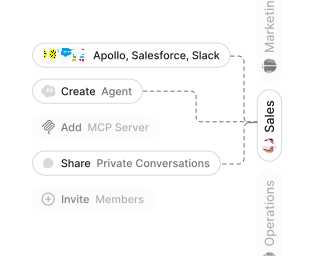
Role-based access control
Manage reusable roles, shared credentials, and secrets with scoped access controls.


Virtual private cloud deployments
Deploy Gumloop in your own cloud.
Anthropic
OpenAI
Gemini
DeepSeek
AI model restrictions
Control which AI models teams can use. Set guardrails and enforce spend policies.
Usage monitoring
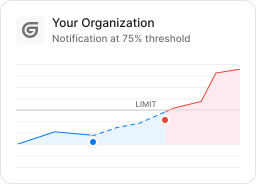
Track organization-wide credit usage in real time. Implement budget and quota controls to avoid surprises.
TODAY



WEDNESDAY


Audit logging
Capture detailed audit trails for actions across the organization to understand where data is flowing.
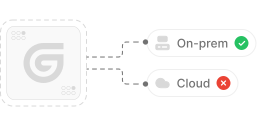

AI proxy support
Bring your own API keys and route requests through your own proxy.
Sign in with Okta
Single Sign-On
Securely streamline identity and access management.


Zero Data Retention
Gumloop never uses customer data to train AI models. For third-party models, we have Zero Data Retention (ZDR) agreements and Data Processing Addendums (DPAs).


SOC 2 Type II Certified
Gumloop is committed to security, and is compliant with SOC 2 Type II and GDPR. Visit trust.gumloop.com to learn more.
Frequently asked questions
Tasks automated to date
Try the Recruiting AI Agent